Loading
Get Cerere Deschidere Cont
How it works
-

Open form follow the instructions
-

Easily sign the form with your finger
-

Send filled & signed form or save
How to fill out the Cerere Deschidere Cont online
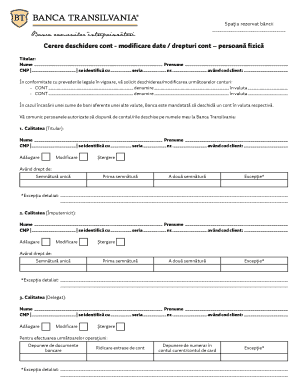
The Cerere Deschidere Cont form is essential for individuals looking to open or modify an account with a bank. This guide provides clear instructions on how to effectively complete the form online, ensuring all necessary information is accurately provided.
Follow the steps to successfully complete your application.
- Click ‘Get Form’ button to obtain the Cerere Deschidere Cont form and open it in the editor.
- Begin by filling in your personal details in the Titular section. Enter your full name, personal identification number (CNP), and any identification details, such as series and number of your ID document. Make sure to include your client code as well.
- Indicate your request regarding the account. You can state whether you are opening or modifying accounts and specify the account name and currency for each account you wish to manage.
- List authorized individuals who can manage the accounts. For each person, provide their name, CNP, identification details, and whether they are being added, modified, or removed from the account. Specify their rights to the account, such as whether they have a unique signature or additional signing authority.
- In the Conditions section, decide if cash deposits can be made by external depositors. Indicate your choice by checking either 'Yes' or 'No'.
- Specify how frequently you would like to receive account statements. You can choose to receive them monthly or daily - be sure to mark your preference accordingly.
- Finalize the form by signing it. Make sure your signature matches your identification for verification purposes.
- After completing the form, you can save changes, download it, print a copy, or share it as needed.
Complete your Cerere Deschidere Cont online today for efficient account management.
Steps to convert a PDF to a TIFF file. Go to the PDF to TIFF conversion tool and click Select a file or drag and drop your PDF into the drop zone. From the drop-down menu, you can choose a JPG, PNG, or TIFF file. For this project, choose TIFF and click the Convert to TIFF button.