Loading
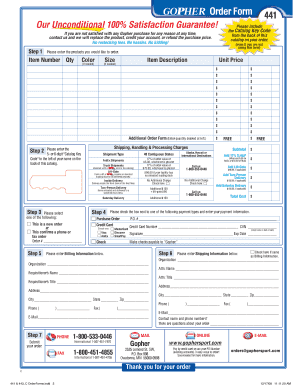
Get Gopher Order Form - Gophersportcom
How it works
-

Open form follow the instructions
-

Easily sign the form with your finger
-

Send filled & signed form or save
How to fill out the GOPHER Order Form - Gophersportcom online
Filling out the GOPHER Order Form online can streamline your purchasing process and ensure you receive your desired products quickly and efficiently. This guide will provide you with a step-by-step approach for accurately completing each section of the form, making it easy to place your order.
Follow the steps to successfully complete the order form.
- Click the ‘Get Form’ button to access the GOPHER Order Form. This will allow you to open the document in your preferred editor.
- In the 'Products Order' section, list the items you wish to purchase. For each item, enter the necessary details including the Item Number, Quantity, Color, Size, and Item Description if needed. Make sure to check the Unit Price for accuracy.
- Select the 'Shipment Type' that suits your delivery needs. Options may include standard delivery or specific requirements like lift-gate service. Be sure to note any additional fees that may apply for these services.
- Fill in your Billing Information. Provide the Requisitioner’s Name and Title, the organization name if applicable, and the relevant contact details including phone and email. If you are using a purchase order, ensure to enter the P.O. number accordingly.
- Enter your Shipping Information if it differs from the Billing Information. This includes the recipient's name, title, address, city, state, zip code, and contact phone number. If the shipping address is the same as the billing address, check the corresponding box.
- Select your preferred payment method by checking the appropriate box and filling in the required payment details such as Credit Card Number, CVN, and expiration date. Ensure that the total costs are correctly reflected based on your selections.
- Before submitting your order, review all entered information for accuracy. Once confirmed, you can save changes, download, print, or share the completed form as needed. Don't forget to contact customer service if any issues arise during the process.
Start completing your GOPHER Order Form online today for a seamless ordering experience!
How do I contact Gopher Sport? You can reach one of our friendly Customer Care Representatives anytime at 855-500-3620 or omnia@gophersport.com.
Industry-leading security and compliance
US Legal Forms protects your data by complying with industry-specific security standards.
-
In businnes since 199725+ years providing professional legal documents.
-
Accredited businessGuarantees that a business meets BBB accreditation standards in the US and Canada.
-
Secured by BraintreeValidated Level 1 PCI DSS compliant payment gateway that accepts most major credit and debit card brands from across the globe.