Loading
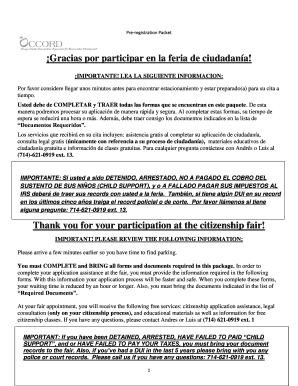
Get Pre-registration Packet General.pdf - Occord - Occord
How it works
-

Open form follow the instructions
-

Easily sign the form with your finger
-

Send filled & signed form or save
How to fill out the Pre-Registration Packet General.pdf - OCCORD - Occord online
Completing the Pre-Registration Packet General.pdf is a crucial step in preparing for your citizenship application. This guide will provide you with clear, step-by-step instructions to help you fill out the form accurately and efficiently.
Follow the steps to successfully complete the Pre-Registration Packet.
- Use the ‘Get Form’ button to access the Pre-Registration Packet and open it in the online editor.
- Begin by filling in your personal information at the top of the form. This includes your last name, first name, middle name, A# residence number, and date of birth.
- Provide any other names or nicknames you have used, and indicate how many times you have been married, including annulled marriages.
- Fill in your current spouse's information, such as their full name, date of birth, and marriage date. If applicable, include their employment details and A# residence number.
- If you have ex-spouses, list their full names, marriage dates, and how each marriage ended.
- Document your addresses over the last five years along with the dates you moved in and out of each place.
- Complete the Selective Service section if applicable. This is required only for males aged 18-25.
- Compile your employment history for the last five years, including employer names, addresses, job titles, and employment dates.
- If you have a criminal history, disclose any past interactions with law enforcement and include relevant documentation.
- Gather information about your parents and children, including full names, birth dates, and addresses. Also note any trips taken outside of the United States for more than 24 hours over the last five years.
- Review the form for accuracy and completeness. Save your changes, and when ready, download, print, or share the completed form as needed.
Complete your Pre-Registration Packet online to streamline your citizenship application process.
Related links form
Petition To Change Domicile - Nevada Transportation Authority ... - Tsa Nv
Provider Of Free Shuttle Service - Nevada Transportation Authority ... - Tsa Nv
Class III Landfill Waiver Application - Web Form - Nevada Division Of ... - Ndep Nv
REMEDIATION EQUIPMENT STATUS FORM To Be Completed By ... - Ndep Nv
Parent or Guardian's Florida driver's license or state ID showing the current correct address. Another item in the Parent or Guardian's name showing the current address, such as: auto registration, current bill or current pay stub. Homeowner or Lessee's driver's license or state ID.
Industry-leading security and compliance
US Legal Forms protects your data by complying with industry-specific security standards.
-
In businnes since 199725+ years providing professional legal documents.
-
Accredited businessGuarantees that a business meets BBB accreditation standards in the US and Canada.
-
Secured by BraintreeValidated Level 1 PCI DSS compliant payment gateway that accepts most major credit and debit card brands from across the globe.