Loading
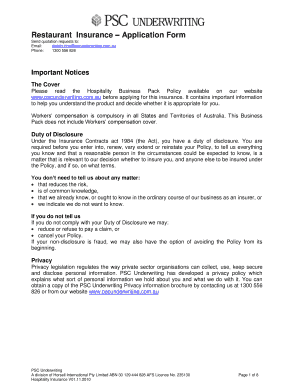
Get Restaurant Insurance Application Form - Breeze Underwriting
How it works
-

Open form follow the instructions
-

Easily sign the form with your finger
-

Send filled & signed form or save
How to fill out the Restaurant Insurance Application Form - Breeze Underwriting online
Completing the Restaurant Insurance Application Form with Breeze Underwriting is an essential step in securing appropriate coverage for your restaurant. This guide provides clear, step-by-step instructions to help users navigate the online application process efficiently.
Follow the steps to successfully complete your application.
- Click ‘Get Form’ button to obtain the Restaurant Insurance Application Form and open it in your preferred editor.
- Fill out the Broker Details section by providing your brokerage name, contact number, and email address of your broker. This information helps in processing your application through the right channels.
- In the Client Details section, input your insured name, trading name, insurance period (from and to dates), and contact information, including your email and website. Make sure that these details are accurate as they are crucial for communication and policy enforcement.
- Provide your Current Insurance Details by specifying your current insurer and broker details. This section helps to identify your insurance history which might be relevant for the underwriting process.
- Complete the Location section with your business address, suburb, state, and postcode to pinpoint where your restaurant operates.
- Select the types of Occupation and Cuisine applicable to your business by ticking the relevant boxes. You may also specify any other culinary styles in the provided areas.
- Answer the Trading Activity questions that explore your business's operational details, including license status, seating capacity, and annual turnover. Provide accurate figures for thorough evaluation.
- In the Premises section, specify the type, age, and conditions of the building where your restaurant is located. Indicate if it has been renovated or rewired to assess safety and compliance.
- Fill in the Security section with applicable details about security features in your establishment, such as deadlocks and alarm systems to ensure the safety of your premises.
- Complete the Kitchen section, detailing the type of kitchen equipment used and their maintenance frequency. This information is vital for understanding the operational risks associated with your restaurant.
- Proceed to the Fire Protection section to specify the fire safety measures in place within your restaurant, including extinguishers and alarms.
- Respond to the General questions regarding insurance history and any claims made in the past five years. This transparency is crucial for accurately underwriting your application.
- In the Signature and Declaration section, carefully read through the declarations and then provide your signature, date, and title to affirm the accuracy of the application.
- Determine Coverage Required by filling in the various property and liability sections according to your business needs. This includes specifying limits for contents, equipment, and coverage for business interruption.
- After reviewing all entries for accuracy, save your changes, then download, print, or share the completed application form according to your requirement.
Begin your application process online today to ensure your restaurant is properly insured.
Industry-leading security and compliance
US Legal Forms protects your data by complying with industry-specific security standards.
-
In businnes since 199725+ years providing professional legal documents.
-
Accredited businessGuarantees that a business meets BBB accreditation standards in the US and Canada.
-
Secured by BraintreeValidated Level 1 PCI DSS compliant payment gateway that accepts most major credit and debit card brands from across the globe.