Loading
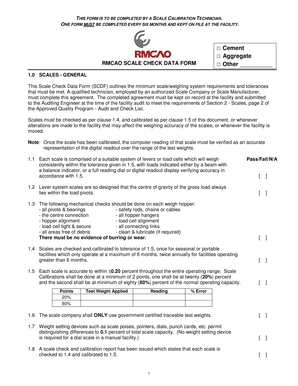
Get Cement Aggregate Rmcao Scale Check Data Form Other
How it works
-

Open form follow the instructions
-

Easily sign the form with your finger
-

Send filled & signed form or save
How to fill out the Cement Aggregate RMCAO SCALE CHECK DATA FORM Other online
The Cement Aggregate RMCAO SCALE CHECK DATA FORM Other is an essential document used to ensure the accuracy and compliance of scale calibration within a facility. This guide provides a comprehensive overview and step-by-step instructions to assist users in filling out the form online, ensuring all necessary information is accurately recorded.
Follow the steps to complete the form with ease.
- Press the ‘Get Form’ button to access the form and open it in your preferred editor.
- Begin by selecting the appropriate category for the scale being checked: • Cement • Aggregate • Other (specify if needed). This selection will guide the technician in what specifics to focus on.
- Complete the '1.0 SCALES - GENERAL' section by ensuring a qualified technician completes the agreement. Note that the form must be maintained on file at the facility and submitted to the Auditing Engineer during audits.
- Fill in the details surrounding the scale checks by addressing the compliance points listed under “1.1” to “1.8”. For each point, determine whether the scale meets the required conditions and check the corresponding box: Pass, Fail, or Not Applicable.
- In the 'Points' section, document the test weights applied during calibration by recording the readings and corresponding percent error for both 20% and 80% of the scale's capacity.
- Proceed to complete the sections covering '2.0 BEAM SCALES', '3.0 LOAD CELL SCALES', and '4.0 DIAL INDICATING SCALES'. For each subsection, confirm compliance by checking the appropriate boxes and ensure all operational criteria are met.
- Finalize the form by providing the necessary contact and identification details for the parties involved. This includes the Ready Mix Company name, Inspection Company name, facility location, technician name, and signatures from both the Ready Mix Facility Manager and Scale Check Technician.
- Once all sections are thoroughly filled out and reviewed, you can save the changes, download a copy, print the document for physical records, or share it electronically as needed.
Complete your forms online effortlessly and maintain compliance with industry standards.