Loading
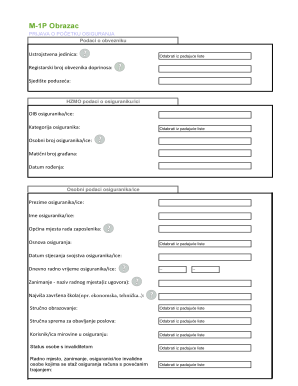
Get Em 1p
How it works
-

Open form follow the instructions
-

Easily sign the form with your finger
-

Send filled & signed form or save
How to fill out the Em 1p online
Filling out the Em 1p form is essential for the registration of insurance. This guide will walk you through each section and field of the form to ensure you complete it accurately and efficiently.
Follow the steps to complete the Em 1p form online.
- Click the ‘Get Form’ button to access the Em 1p form and open it in an editable format.
- Begin by entering the organizational unit from the dropdown list. Select the appropriate option that matches your entity.
- Enter the OIB (personal identification number) of the insured person.
- Input the surname of the insured individual.
- Select the basis of the insurance from the dropdown list.
- Provide the job title as stated in the employment contract.
- Indicate the qualifications necessary for the job responsibilities from the dropdown list.
- Complete the section regarding the status of a person with a disability by selecting from the available options.
- Indicate the date the employment contract was established using the dropdown list.
- Submit the completed form at least two days before the application. You can send the filled form via email to helpdesk@logika.hr, fax at 01/6418-301, or deliver it in person to the address Lubljanica 29b.
Complete your Em 1p form online today to ensure your insurance registration is processed efficiently.