Loading
Get Sartorius Werkzeuge
How it works
-

Open form follow the instructions
-

Easily sign the form with your finger
-

Send filled & signed form or save
How to fill out the Sartorius Werkzeuge online
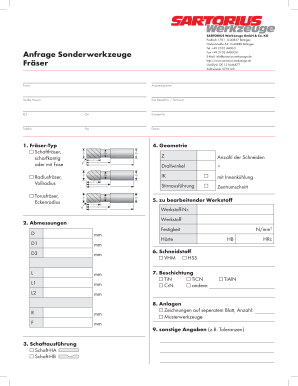
Filling out the Sartorius Werkzeuge form online is a straightforward process that requires attention to detail. This guide will help you navigate each section of the form, ensuring that all necessary information is accurately provided.
Follow the steps to complete your Sartorius Werkzeuge form.
- Press the 'Get Form' button to access the Sartorius Werkzeuge form in your preferred online editor.
- Begin by entering your company's name in the 'Firma' field. This identifies the organization you represent.
- Provide a contact person's details in the 'Ansprechpartner' field to establish a direct communication line.
- Fill in the 'Straße Hausnr.' field with your street address and house number for accurate delivery.
- Input your postal code in the 'PLZ' section to facilitate regional sorting of your request.
- Enter your city name in the 'Ort' field to specify your location.
- If applicable, add your customer number in the 'Kunden-Nr.' section to streamline your request.
- Provide your telephone number in the 'Telefon' field for potential follow-up.
- Include your fax number in the 'Fax' field if you wish to receive documents via fax.
- Input the current date in the 'Datum' field to document when the form is filled out.
- Select the type of milling cutter in the 'Fräser-Typ' section. Choose from options such as 'Schaftfräser', 'Radiusfräser', or 'Torusfräser'.
- Specify the geometry details by indicating the number of cutting edges and the spiral angle.
- Indicate whether the tool features internal cooling in the 'mit Innenkühlung' section.
- Fill out the section concerning the materials to be processed including material numbers and type.
- Complete the dimensions of the cutter in the 'Abmessungen' fields, detailing specifications in millimeters.
- Select the shank design in the 'Schaftausführung' section by checking the appropriate options.
- Choose the cutting material from the 'Schneidstoff' section, indicating VHM or HSS as per your needs.
- Select any necessary coatings in the 'Beschichtung' section, noting additional options if required.
- Attach any supplementary documents or drawings in the 'Anlagen' section if applicable.
- Enter any other relevant information, such as tolerances, in the 'sonstige Angaben' section.
- Review all the information provided for accuracy before finalizing your form.
- Once completed, save any changes made, and then choose to download, print, or share the form as needed.
Complete your Sartorius Werkzeuge document online with confidence.