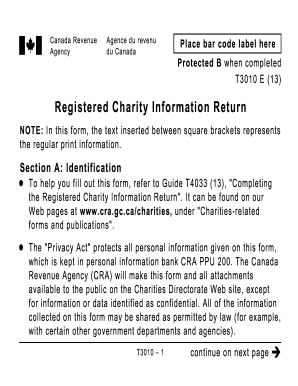
Get Canada T3010 E 2013
How it works
-

Open form follow the instructions
-

Easily sign the form with your finger
-

Send filled & signed form or save
How to fill out the Canada T3010 E online
Filling out the Canada T3010 E form is essential for registered charities to report their financial and operational information. This guide provides clear, step-by-step instructions to assist users in accurately completing the form online.
Follow the steps to successfully complete your T3010 E form.
- Press the 'Get Form' button to obtain the form and open it in your chosen document editor.
- In Section A: Identification, complete the charity’s name, registration number, fiscal year end, and web address if applicable. Ensure that all information is accurate and up to date.
- Proceed to Section B: Directors/trustees and like officials. Fill out Form T1235 if necessary, and include any additional required information as specified for Ontario organizations.
- In Section C: Programs and general information, answer questions about the charity's activity status and provide descriptions of ongoing and new programs undertaken during the fiscal period.
- Complete Section D: Financial Information if applicable. Record financial details such as revenue and expenditures as accurately as possible, adhering to the cash or accrual basis reporting instructions.
- In Section E: Certification, ensure the form is signed by an authorized director or trustee. This certification confirms the accuracy and completeness of the information provided.
- Finally, if there are any confidential data requirements, such as F1 and F2 regarding the charity's physical address and the individual who completed the return, fill these in as well.
- Once all sections are completed, review the form for accuracy, then save the changes. You may also download, print, or share the form as needed.
Complete your Canada T3010 E form online today to ensure compliance and transparency in your charitable activities.
Get form
To verify a nonprofit organization in Canada, you can use the Canada Revenue Agency's online database. This resource allows you to check the registration status and confirm whether the organization is eligible to issue tax receipts. It's a simple process that helps ensure you are donating to legitimate charities. Utilizing the Canada T3010 E can provide additional insights into the verification process.