Loading
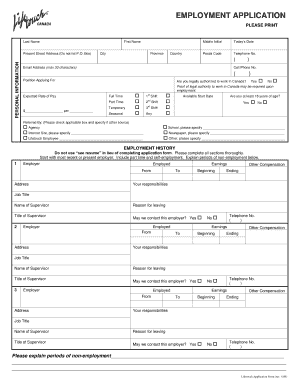
Get Employment Bapplicationb-lnss Non-ca - Lifetouch - Lifetouch
How it works
-

Open form follow the instructions
-

Easily sign the form with your finger
-

Send filled & signed form or save
How to fill out the Employment Application-LNSS Non-CA - Lifetouch online
Filling out the Employment Application-LNSS Non-CA for Lifetouch can seem daunting, but with this guide, you will navigate each section with ease. This step-by-step approach will provide you with clear instructions to complete your application efficiently and accurately.
Follow the steps to complete your application online.
- Click ‘Get Form’ button to obtain the application form and access it in your preferred editor.
- Begin by entering your personal information, including your last name, first name, middle initial, and present street address. Ensure to include your city, province, postal code, country, telephone number, email address, and cell phone number.
- Indicate the position you are applying for, and confirm your legal authorization to work in Canada by selecting 'Yes' or 'No'.
- Specify your expected rate of pay and employment type (full-time, part-time, temporary, or seasonal). Indicate your availability for different shifts and the date you can start.
- Provide information about how you were referred to the job. Check the applicable box and specify the source if it was an agency, website, Lifetouch employee, school, newspaper, or other.
- Detail your employment history. Start with your most recent or current employer, including their address, your job title, responsibilities, earnings, and reasons for leaving. Indicate whether Lifetouch can contact these employers.
- Complete all educational background fields, including the name and address of schools attended, the major or type of coursework, and whether you graduated. Include any additional training or seminars relevant to the position.
- If applicable, answer questions regarding your criminal record, driving qualifications, and any previous employment with Lifetouch. Provide as much detail as necessary.
- Review the affidavit section carefully, ensuring you understand the implications of your application. Sign and date the application to confirm the accuracy of the information provided.
- Once you have filled out all sections, save your changes. You may download, print, or share the form as needed.
Complete your Employment Application-LNSS Non-CA for Lifetouch online today!
As a trusted school partner, Lifetouch provides schools with more than photography. Schools can receive ID cards, staff images, photo directories, principal albums and more that feature student's and staffs' school pictures.