Loading
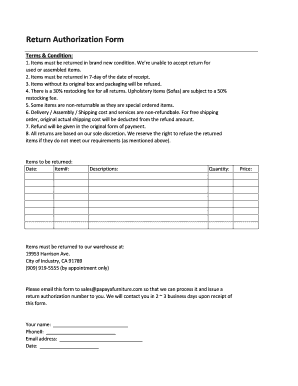
Get Return Authorization Form
How it works
-

Open form follow the instructions
-

Easily sign the form with your finger
-

Send filled & signed form or save
How to fill out the Return Authorization Form online
Filling out the Return Authorization Form online is a straightforward process designed to streamline returns. This guide will walk you through each section of the form, providing clear instructions to ensure that your submission is complete and accurate.
Follow the steps to complete your Return Authorization Form.
- Click ‘Get Form’ button to obtain the form and open it in the editor.
- Fill in the 'Your name' field with your full name. This information is essential for the return process.
- Enter the 'Date' on which you are completing the form. This helps track the timeline of your return request.
- Include a brief description of the item you are returning in the 'Descriptions' section. Be specific to avoid any confusion.
- Write the purchase 'Price' of the item you are returning to assist in processing the return.
- Once every field is completed, review your form for accuracy and non-empty fields to avoid delays.
Start your return process by completing your Return Authorization Form online today.
The return authorization form might also request that the customer provide feedback on why they are returning the product. Products that are returned without an RMA can be refused or subject to a restocking fee by the retailer. Thus, it is important to obtain an RMA before returning any merchandise.