Loading
Get Btnb Tsa Release Form - Btennesseeb Tsa - Tntsa
How it works
-

Open form follow the instructions
-

Easily sign the form with your finger
-

Send filled & signed form or save
How to fill out the BTNb TSA Release Form - BTennesseeb TSA - Tntsa online
Filling out the BTNb TSA Release Form is an essential step for participants in Tennessee's Technology Student Association events. This comprehensive guide will walk you through each section of the form, ensuring you provide the necessary information accurately and efficiently.
Follow the steps to complete the BTNb TSA Release Form online.
- Press the ‘Get Form’ button to access the BTNb TSA Release Form and open it in your preferred editor.
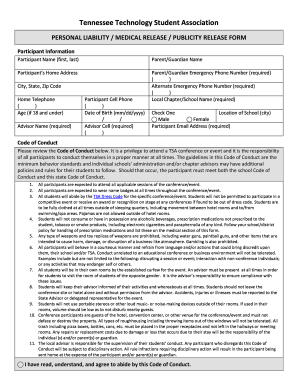
- Begin by entering participant information, including the full name, home address, and contact details. Make sure to include the necessary emergency phone numbers for the parent or guardian.
- Fill in the local chapter or school name, the advisor's name, and select the correct age of the participant if they are 18 years old or younger.
- Review the Code of Conduct carefully. After reading it, check the box to confirm your understanding and agreement with the guidelines outlined.
- In the medical information section, indicate if the participant is covered by medical insurance and provide details such as the insurance company, insured’s information, and any relevant medical history.
- Complete the liability and medical release section by certifying the accuracy of your provided information and selecting applicable permissions regarding medical treatment.
- In the publicity and website permission section, indicate whether you grant permission for the use of the participant's image and name in publications and online.
- Ensure that all required signatures are provided by the participant, parent or guardian, and advisor with the relevant dates.
- Once all fields are completed, save changes to the document. You can download, print, or share the final version of the form as needed.
Take action now and complete your BTNb TSA Release Form online.
Open your file in the Acrobat PDF Editor. Select Fill & Sign on the right side of the screen. Choose the Add Text tool, which looks like an upper-case “A” next to a lower-case “b.” Click anywhere in the PDF where you'd like to add text and start typing.