Loading
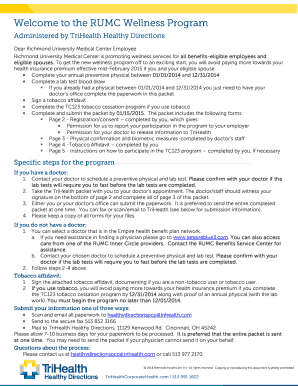
Get Welcome To The Rumc Wellness Program - Lifesolutions1
How it works
-

Open form follow the instructions
-

Easily sign the form with your finger
-

Send filled & signed form or save
How to fill out the Welcome To The RUMC Wellness Program - LifeSolutions1 online
This guide provides clear and comprehensive instructions for filling out the Welcome To The RUMC Wellness Program - LifeSolutions1 form online. Follow these steps to ensure a smooth and efficient completion of your wellness program registration.
Follow the steps to successfully complete the wellness program registration form.
- Use the ‘Get Form’ button to access the registration form and open it for editing.
- Fill in your personal details in the designated fields: include your member number, first name, last name, date of birth, and select your gender.
- Indicate your relationship to the employee by selecting either 'Employee' or 'Spouse.' If you are the spouse, provide the name of the employee.
- Provide your home address and daytime phone number to ensure proper communication.
- Include your email address for any follow-up or correspondence related to the wellness program.
- Read the voluntary participation statement carefully. By signing it, you acknowledge your responsibility regarding health assessments.
- Sign and date the form to complete your application.
- Ensure the doctor or their staff witnesses your signature and completes the necessary information on the provided documentation.
- Submit the entire completed packet via email, fax, or mail to TriHealth Healthy Directions as instructed.
Complete your wellness program registration online today for a healthier tomorrow!
What Websites Must Comply With CCPA? The CCPA applies to any for-profit business that collects and processes consumers' personal data, which does business in California and satisfies at least one of the following thresholds: Has annual gross revenues in excess of $25 million.