Loading
Get Kwik Trip Business Bcardb Program Application - Kwik Trip Bfleet Fuelb Bb
How it works
-

Open form follow the instructions
-

Easily sign the form with your finger
-

Send filled & signed form or save
How to use or fill out the Kwik Trip Business BCardb Program Application - Kwik Trip BFleet Fuelb Bb online
Filling out the Kwik Trip Business BCardb Program Application can be a straightforward process when you follow the correct steps. This guide is designed to provide you with the necessary instructions to complete the application online, ensuring that you understand each section and the information required.
Follow the steps to successfully complete the application.
- Click ‘Get Form’ button to obtain the form and open it in the editor.
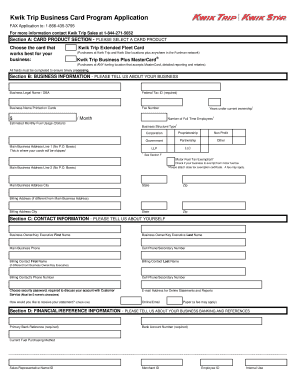
- In Section A, select the card product that best meets your business needs. You can choose either the Kwik Trip Extended Fleet Card or the Kwik Trip Business Plus MasterCard. Ensure to choose only one.
- In Section B, provide your business information. Complete all fields including your business legal name, Federal Tax ID, business name printed on the cards, and estimated monthly fuel usage. Indicate the structure of your business and provide the main business address. If applicable, include details about motor fuel tax exemption.
- In Section C, fill out the contact information. Include the first and last names of the business owner or key executive, the main business phone number, and the email address for online statements. If there is a separate billing contact, provide their information as well.
- In Section D, provide financial and reference information. Include your primary bank reference and current fuel purchasing method. Fill in the required fields such as bank account number and any relevant identification information.
- In Section E, read carefully and complete the authorized signature section. Sign and date the application, acknowledging the terms and conditions outlined.
- For partnerships or sole proprietorships, go to Section F and fill in the required information for each principal. Make sure to include the necessary contact information and signatures.
- In Section G, indicate how you would like your cards set up. Specify the number of cards needed and provide details required for each card, including card description and driver information.
- Review all entries in the application form to ensure accuracy. Once confirmed, save the changes, download a copy, or print the application for your records.
Complete your application online today to get started with the Kwik Trip Business BCardb Program.
Related links form
Commercial & Fleet Cards Our Commercial & Fleet cards are specifically designed to deliver big discounts to you and your business. Earn rebates and manage fuel costs down to every gallon purchased.