Loading
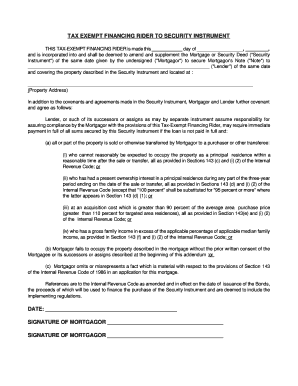
Get Tax Exempt Financing Rider
How it works
-

Open form follow the instructions
-

Easily sign the form with your finger
-

Send filled & signed form or save
How to fill out the Tax Exempt Financing Rider online
This guide provides clear instructions on how to complete the Tax Exempt Financing Rider online, ensuring that all necessary information is accurately captured. By following these steps, users can successfully navigate the process of filling out this critical document.
Follow the steps to complete the Tax Exempt Financing Rider online.
- Press the ‘Get Form’ button to obtain the Tax Exempt Financing Rider form and open it in your chosen editor.
- Fill in the date at the top of the form where indicated, using the format: day, month, year.
- Enter the names of the parties involved: the Mortgagor (the person or entity borrowing) and the Lender. Make sure to spell names correctly.
- Provide the property address where indicated. This information should be complete and accurate.
- Read the sections that outline the obligations and permissions regarding the loan and property sale. Ensure you understand all terms before proceeding.
- If applicable, complete any specific fields related to the provisions of the Internal Revenue Code as noted in the sections of the document.
- Sign the form as the Mortgagor where indicated. If there are multiple Mortgagors, ensure that each one signs in the appropriate area.
- Review the form for completeness and accuracy. Make edits as necessary.
- Save your changes, and once satisfied, you can download, print, or share the completed Tax Exempt Financing Rider.
Complete your documents online with confidence. Begin filling out your Tax Exempt Financing Rider today!
Internal documentation is information created and maintained within a company and used by employees for various purposes, including training, internal communication, and process documentation. In contrast, external documentation is written for external customers, users, or partners.