Loading
Get Talpa 370
How it works
-

Open form follow the instructions
-

Easily sign the form with your finger
-

Send filled & signed form or save
How to fill out the Talpa 370 online
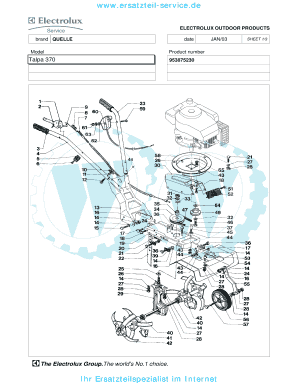
The Talpa 370 form is an essential document designed for users needing detailed information about Electrolux Outdoor Products parts. This guide will help you navigate and fill out the form effectively.
Follow the steps to complete the Talpa 370 form online.
- Click ‘Get Form’ button to access the Talpa 370 document and open it in your preferred viewer.
- Identify the model field. Input the model name accurately, ensuring that it matches the product designation for clarity.
- In the product number section, enter the correct product number associated with the Electrolux outdoor product you are inquiring about.
- Proceed to fill out the quantity field next to each part description. Clearly specify how many of each part you require for your order.
- Review each entry thoroughly for accuracy. Double-check the model, product number, and quantities to prevent errors in processing.
- Once you have completed all necessary fields, you can save your changes, download the form, print it for your records, or share it as needed.
Complete your Talpa 370 form online today to ensure prompt access to Electrolux parts!
Related links form
Industry-leading security and compliance
US Legal Forms protects your data by complying with industry-specific security standards.
-
In businnes since 199725+ years providing professional legal documents.
-
Accredited businessGuarantees that a business meets BBB accreditation standards in the US and Canada.
-
Secured by BraintreeValidated Level 1 PCI DSS compliant payment gateway that accepts most major credit and debit card brands from across the globe.