Loading
Get West Michigan Regional
How it works
-

Open form follow the instructions
-

Easily sign the form with your finger
-

Send filled & signed form or save
How to fill out the West Michigan Regional online
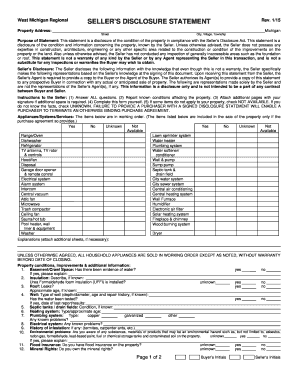
This guide is designed to assist users in completing the West Michigan Regional Seller’s Disclosure Statement online. It will provide a detailed breakdown of each section of the form, ensuring a clear and efficient filling process.
Follow the steps to successfully complete the form.
- Press the ‘Get Form’ button to access the document and open it in the editor for completion.
- Begin by entering the property address, which includes the street name and the city, village, or township.
- Read the purpose of the statement, noting that it serves to disclose the condition of the property as required by law.
- In the Seller’s Disclosure section, answer all questions truthfully and to the best of your knowledge.
- Detail any appliances, systems, or services included with the property by selecting 'Yes,' 'No,' or 'Unknown' for each item listed.
- Provide explanations if necessary, especially for areas that may require additional information.
- Complete the property conditions and improvements section by answering yes or no to various conditions affecting the property.
- List any major damages or relevant environmental issues associated with the property.
- Indicate whether you have flood insurance and if you own mineral rights pertaining to the property.
- Once all sections are filled out, review the information for accuracy and completeness.
- Finally, you can save changes, download, print, or share the form as needed.
Complete your Seller’s Disclosure Statement online today to ensure a smooth transaction.
A growing economy, outstanding health care, low cost of living, award-winning schools and diverse cultural options are just a few reasons why Grand Rapids is a great place to live and work. West Michigan offers many local attractions, seasonal activities and amazing scenery.