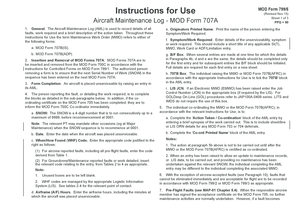
Get Revised Nov 15 Aircraft Maintenance Log - Mod Form 707a
How it works
-

Open form follow the instructions
-

Easily sign the form with your finger
-

Send filled & signed form or save
How to use or fill out the Revised Nov 15 Aircraft Maintenance Log - MOD Form 707A online
Filling out the Revised Nov 15 Aircraft Maintenance Log - MOD Form 707A online is essential for documenting aircraft maintenance activities efficiently and accurately. This guide provides a clear and structured approach to help users navigate each section of the form, ensuring that all necessary information is recorded correctly.
Follow the steps to complete the form online successfully.
- Utilize the 'Get Form' button to access the Revised Nov 15 Aircraft Maintenance Log - MOD Form 707A and open it in a convenient editing interface.
- Begin by locating the SNOW (Serial Number of Work) field. Enter a 4-digit number in a consecutive sequence starting from 0001. Ensure that you are following the numbering sequence previously established.
- In the 'Originators Printed Name' section, provide the name of the individual who is entering the symptom or work that is required for the aircraft.
- Detail the 'Symptom/Work Required'. Include a brief description of the unserviceability along with any relevant references such as SI(T), MWO, or other applicable entries.
- If you are making several entries that have identical details, complete the first entry fully and initial the B/F (below/forward) box for subsequent entries to signal they share information.
- For the '707B' section, tick the box corresponding to the MWO (Maintenance Work Order) if you are raising it concurrently.
- In the LIS JCN (Logistics Information System Job Control Number) box, if applicable, enter the job control number as required by the system you are using.
- After completing the entry, summarize the 'Action Taken / Co-ordination' by writing a brief synopsis of the work carried out. This should include any relevant details for any deferred maintenance entries.
- Insert the date indicating when the aircraft was marked unserviceable in the provided date field.
- Document the appropriate WHF (When/How Found) Code based on whether the faults were reported by aircrew or groundcrew. Refer to the specified tables for accurate code selection.
- Finally, after confirming that all information is correct, save your changes, and choose to download, print, or share the completed form as required.
Complete your maintenance documentation online by following these steps and ensuring all entries are accurate and thorough.
In aviation, maintenance documentation (referring and recording) ensures that the scheduled maintenance is performed as per the maintenance manuals and in a correct sequence of steps. If any step in any of the maintenance tasks is skipped / missed or done in the incorrect order, it could result in a catastrophe.
Industry-leading security and compliance
-
In businnes since 199725+ years providing professional legal documents.
-
Accredited businessGuarantees that a business meets BBB accreditation standards in the US and Canada.
-
Secured by BraintreeValidated Level 1 PCI DSS compliant payment gateway that accepts most major credit and debit card brands from across the globe.