Loading
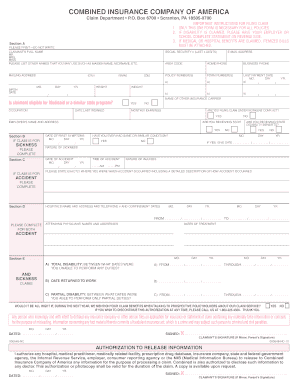
Get Combined Insurance Claim Form
How it works
-

Open form follow the instructions
-

Easily sign the form with your finger
-

Send filled & signed form or save
How to fill out the Combined Insurance Claim Form online
Filing a claim can be an important process for ensuring you receive the benefits you are entitled to. This guide will provide you with clear and supportive instructions on how to complete the Combined Insurance Claim Form online for your convenience.
Follow the steps to successfully complete your claim form.
- Press the ‘Get Form’ button to access the Combined Insurance Claim Form and open it in your preferred online editor.
- In Section A, please print clearly and provide your full name, including any other names you may use, along with your mailing address, date of birth, social security number (last 4 digits), height, weight, contacting numbers, email address, and relevant policy numbers.
- In Section B, fill in additional details if you are making a claim for an accident or sickness. Include the nature of injuries, the date and time of the accident, and a detailed description of how the accident occurred.
- For Section C, if you are claiming disability, indicate whether you are receiving state disability benefits, your earnings, and if you have filed for workers' compensation.
- Section D requires you to provide information regarding hospital treatment, including the name of the hospital, confinement dates, and attending physician details.
- Complete Section E by indicating your disability status, the dates you were unable to perform your duties, and whether you were able to perform partial duties.
- In Section F, if you are having your employer or school complete the statement, provide them with the necessary information regarding your employment and any related disability claims.
- Finally, in Section G, the attending physician should detail your medical condition, diagnosis, treatment dates, and confirm if you are still under their care.
- Once all sections are completed, review your form for accuracy, then save your changes, download, print, or share the form as needed.
Take the next step towards processing your claim and fill out the Combined Insurance Claim Form online today.
How Do I... Statewide Toll-Free: 1-877-MY-FL-CFO (1-877-693-5236) Out of State Callers: (850) 413-3089. TDD Line: 1-800-640-0886. Email Address: Consumer.Services@myfloridacfo.com.