Loading
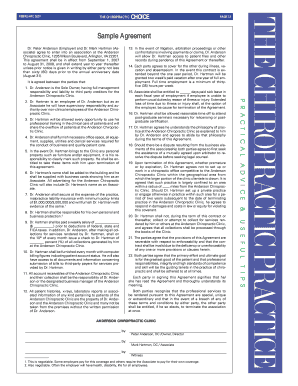
Get Sample Agreement - Chiropractic Choice
How it works
-

Open form follow the instructions
-

Easily sign the form with your finger
-

Send filled & signed form or save
How to fill out the Sample Agreement - Chiropractic Choice online
Filling out the Sample Agreement - Chiropractic Choice online can be straightforward if you follow a structured approach. This guide provides clear instructions to help you navigate each section of the agreement with ease.
Follow the steps to complete your agreement accurately.
- Click ‘Get Form’ button to obtain the form and open it in the editor.
- Identify the parties involved in the agreement. Fill in the names of the employer and associate, ensuring the details are accurate, as this reflects the legal relationships established by the agreement.
- Enter the address of the chiropractic clinic. This is essential for legal identification and correspondence regarding the agreement.
- Specify the effective dates of the agreement. Indicate the start date as September 1, 2007, and the end date as August 31, 2008. Remember to note the automatic renewal clause.
- Clarify the management structure by filling in the responsibilities of the employer and associate, referencing clause about the employer's management role and the professional opportunities afforded to the associate.
- Insert details about workspace provisions, equipment, supplies, and other necessary resources that the employer will provide for services at the clinic.
- Record the financial arrangements, including the salary amount and percentage of collections that the associate will receive. Ensure to leave spaces for amounts that need to be filled in.
- Address the dispute resolution process. Note the need for arbitration before pursuing legal action, highlighting the focus on amicable resolutions.
- Complete any confidentiality and competition clauses, ensuring the geographic limitations and timeframe for non-competition are specified.
- Review all sections to ensure accuracy and completeness, paying particular attention to each party's responsibilities, rights, and required signatures.
- Once completed, users can save the changes made to the agreement, then choose to download, print, or share the completed form as needed.
Complete your agreements online effortlessly by following this guide.