Loading
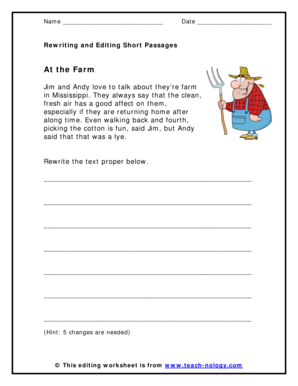
Get Rewriting And Editing Short Passages At The Farm Form
How it works
-

Open form follow the instructions
-

Easily sign the form with your finger
-

Send filled & signed form or save
How to fill out the Rewriting And Editing Short Passages At The Farm Form online
Filling out the Rewriting And Editing Short Passages At The Farm Form online is a straightforward process that allows users to engage with text editing and rewriting. This guide provides step-by-step instructions to ensure a smooth completion of the form.
Follow the steps to successfully fill out the form.
- Click the ‘Get Form’ button to access the form and open it in your preferred editor.
- Locate the section labeled 'Name' and enter your full name in the designated space.
- In the 'Date' field, input the current date using the format MM/DD/YYYY.
- Read the provided passage carefully, noting any grammatical errors or inconsistencies that need correction.
- Rewrite the passage as instructed, making sure to implement the necessary five changes to create an accurate and grammatically correct version.
- Review your rewritten passage to ensure all required revisions are made and the text flows well.
- Once satisfied with your edits, save your changes in the document editor. You can then choose to download, print, or share the completed form as needed.
Start completing your documents online today!