Loading
Get Substitution Request Bformb - Fmbx
How it works
-

Open form follow the instructions
-

Easily sign the form with your finger
-

Send filled & signed form or save
How to fill out the substitution request BFormb - FMBX online
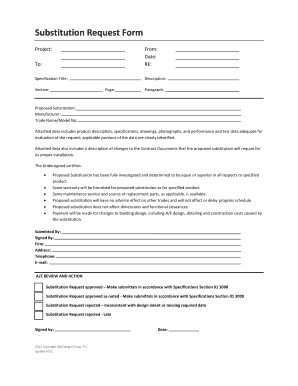
Filling out the substitution request BFormb - FMBX is an essential step for individuals seeking approval for product substitutions in procurement projects. This guide will help you navigate each section of the form with clarity and ease, ensuring all required information is accurately provided to facilitate your request.
Follow the steps to complete the substitution request form effectively.
- Click the 'Get Form' button to access the substitution request form and open it in your preferred editor.
- Begin by filling in the project information, ensuring you specify the project title, your details as the submitter, and the date of the request.
- In the 'Re' section, enter the specification title related to your substitution request.
- Provide a detailed description of the proposed substitution along with the manufacturer and trade name/model number.
- Attach any necessary data, such as product descriptions, specifications, drawings, and test data, making sure that the relevant portions are clearly identified.
- Certify the proposed substitution by verifying that it is equal or superior to the specified product and that all of the conditions outlined in the certification section are fulfilled.
- Fill in your contact details including your name, firm, address, telephone number, and email.
- Review the entire form for accuracy and completeness before submission.
- Finally, save any changes made, download, print, or share the completed form as required.
Complete your substitution request form online to ensure a smooth and efficient submission process.
FormCollection In ASP.NET MVC Choose the web application project and give an appropriate name for your project. Select "empty template", check on MVC checkbox below, and click OK. Right-click on the Models folder and add the database model. ... Right-click on Controllers folder and add a controller.