Loading
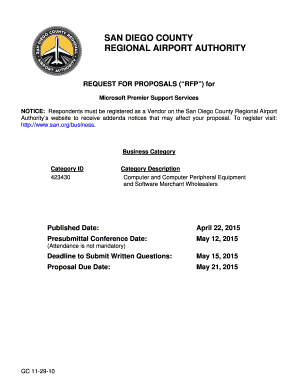
Get Microsoft Premier Support Services-rfp
How it works
-

Open form follow the instructions
-

Easily sign the form with your finger
-

Send filled & signed form or save
How to fill out the Microsoft Premier Support Services-RFP online
This guide provides a detailed breakdown of how to successfully complete the Microsoft Premier Support Services-RFP form online. Whether you are an experienced professional or new to this process, this guide offers step-by-step instructions tailored to your needs.
Follow the steps to complete the Microsoft Premier Support Services-RFP form:
- Press the ‘Get Form’ button to access the Microsoft Premier Support Services-RFP form. This action allows you to retrieve the document and open it for online completion.
- Start with the cover letter section of the form. Provide your contact information, including the name, title, telephone number, and email of the primary contact person responsible for communication.
- Clearly explain your understanding of the requested services in a brief statement. Highlight your commitment to fulfilling these service requirements as per the RFP.
- Disclose any potential conflicts that may arise in the performance of the services as well as outline any prior debarment from government contracts, detailing the agencies and reasons for such actions.
- Complete the required attachments. Ensure each document, such as the Affidavit of Non-Collusion and the Equal Employment Opportunity statement, is filled out accurately and included with your submission.
- Provide a detailed description of your qualifications, experience, and fee structure for performing the requested services, as outlined in the evaluation criteria section of the RFP.
- Include three references from similar projects you have undertaken in the past five years. Validate the contact information for these references for potential follow-ups.
- Carefully review all sections of the form and ensure that all required fields are completed correctly. Verify the clarity and completeness of your proposal to avoid rejection.
- Once satisfied with your proposal, save your changes, and proceed to download or print the document as needed for your records before submitting it electronically.
Submit your completed Microsoft Premier Support Services-RFP form online to ensure your proposal is received by the deadline.
Why is Microsoft retiring Premier Support? Premier Support is being replaced by Unified which provides comprehensive support coverage across your entire organization to help drive the outcomes you need most.
Industry-leading security and compliance
US Legal Forms protects your data by complying with industry-specific security standards.
-
In businnes since 199725+ years providing professional legal documents.
-
Accredited businessGuarantees that a business meets BBB accreditation standards in the US and Canada.
-
Secured by BraintreeValidated Level 1 PCI DSS compliant payment gateway that accepts most major credit and debit card brands from across the globe.