Loading
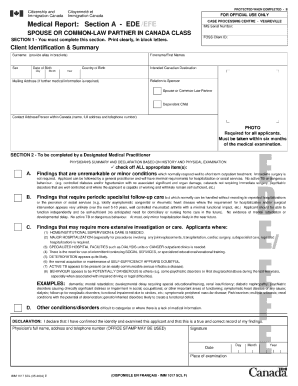
Get Canada Imm 1017 Scl 2004-2026
How it works
-

Open form follow the instructions
-

Easily sign the form with your finger
-

Send filled & signed form or save
How to fill out the Canada IMM 1017 SCL online
Filling out the Canada IMM 1017 SCL form can seem daunting, but with clear guidance, you can complete it efficiently. This comprehensive guide will walk you through each section of the form to ensure you provide the necessary information accurately.
Follow the steps to successfully complete the Canada IMM 1017 SCL form online.
- Click the ‘Get Form’ button to access the form and view it in the editor.
- Begin by entering your personal information in the designated fields. This may include your full name, date of birth, and contact details. Ensure that all entries are accurate and match your official documents.
- Proceed to the health-related questions section. Answer all questions honestly and to the best of your ability. If unsure, look for clarifications within the form or seek help to ensure you understand what is being asked.
- Review any additional information requested in the form. This may include medical history or additional documentation. Be thorough in your responses to avoid any delays in processing.
- Once you have completed all sections of the form, review your entries for accuracy. Check for any possible errors or omissions that may need correction.
- After confirming that all information is correct, save the changes you made to the form. You may then choose to download, print, or share the completed form as needed.
Complete your documents online today to ensure a smooth application process.
To get an FBI report for Canada immigration, you need to request a fingerprint background check from the FBI. This involves submitting the required forms along with your fingerprints to the FBI directly. Once you receive your report, you can include it with your application, ensuring that all documentation aligns with the requirements outlined in the Canada IMM 1017 SCL.