Loading
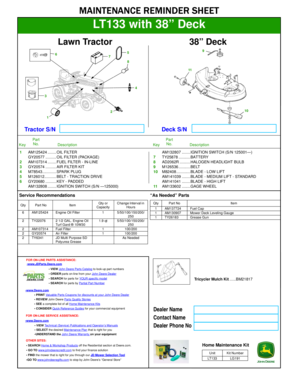
Get Maintenance Reminder Sheet Lt133 With 38 - John Deere
How it works
-

Open form follow the instructions
-

Easily sign the form with your finger
-

Send filled & signed form or save
How to fill out the MAINTENANCE REMINDER SHEET LT133 With 38 - John Deere online
The MAINTENANCE REMINDER SHEET LT133 serves as a valuable tool for users to track necessary maintenance for their John Deere lawn tractor. This guide will provide detailed instructions on how to effectively complete the form online, ensuring that all pertinent information is accurately recorded.
Follow the steps to fill out the MAINTENANCE REMINDER SHEET LT133 with ease.
- Click the ‘Get Form’ button to obtain the form and access it in your preferred editing tool.
- Begin by locating the section for the deck and tractor serial numbers. Enter the appropriate serial numbers in the designated fields labeled 'Deck S/N' and 'Tractor S/N'.
- Proceed to fill in the 'Part No.' and 'Description' fields. Reference the key provided in the document to ensure that the part numbers match their corresponding descriptions accurately.
- In the 'Service Recommendations' section, specify the quantity of parts needed and the change interval in hours for various services as listed. Ensure that you follow the recommended maintenance schedule.
- For any 'As Needed' parts, indicate the quantity or capacity and any change intervals where applicable.
- Finally, review all the filled sections for accuracy. Once completed, you can save your changes, download the form, print it, or share it with your dealer.
Start filling out your maintenance reminder sheet online today!
A lease agreement is an arrangement between two parties – lessor and lessee, by which the lessor allows the lessee the right to use a property owned or managed by the lessor for a specified period of time, in exchange for periodic payment of rentals. The agreement does not provide ownership rights to the lessee.