Loading
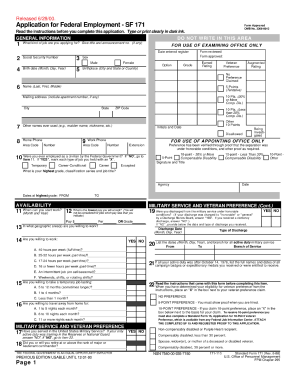
Get Opm Sf 171 1988-2026
How it works
-

Open form follow the instructions
-

Easily sign the form with your finger
-

Send filled & signed form or save
How to fill out the OPM SF 171 online
Filling out the OPM SF 171 form online is an essential step in the federal employment process. This guide provides clear and concise instructions to help users complete the form efficiently and accurately.
Follow the steps to complete the OPM SF 171 online successfully.
- Click 'Get Form' button to obtain the OPM SF 171 and open it for editing.
- Begin by providing your personal information in Section 1, including your name, contact details, and social security number.
- In Section 2, list your employment history, detailing your previous job titles, employers, and dates of employment.
- Complete Section 3 by summarizing your education, including degrees earned, institutions attended, and graduation dates.
- Section 4 allows you to highlight relevant skills and qualifications. Be sure to include any certifications or training you have received.
- In Section 5, list references who can vouch for your work ethic and skills. Include their names, professional titles, and contact information.
- Review each section carefully to ensure accuracy and completeness before proceeding.
- Once all sections are filled out, save your changes. You have the option to download, print, or share the completed OPM SF 171.
Complete your documents online today for a smoother application process.
The SF 171 is a Standard Form used by federal employees when applying for a job with the U.S. government. This detailed form collects necessary information regarding your employment history, education, and other qualifications. Using the OPM SF 171 accurately will bolster your application, showcasing your relevance for the job you desire.