Loading
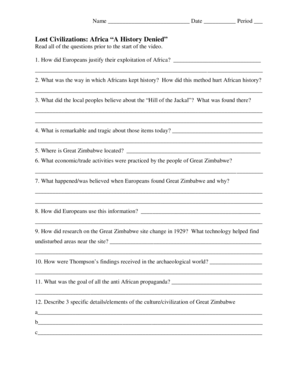
Get Africa A History Denied
How it works
-

Open form follow the instructions
-

Easily sign the form with your finger
-

Send filled & signed form or save
How to fill out the Africa A History Denied online
This guide will assist you in effectively completing the Africa A History Denied form online. By following the step-by-step instructions, you will ensure that all necessary information is accurately provided.
Follow the steps to fill out the form online correctly.
- Click the ‘Get Form’ button to access the Africa A History Denied form. This will allow you to open the document in your preferred editor.
- Begin by filling out your name in the designated field at the top of the form. Ensure that your name is written clearly and correctly.
- Next, enter the date in the specified area. Use the format MM/DD/YYYY for clarity.
- Indicate your period by selecting or entering the correct number in the provided field.
- Proceed to read each question in the document carefully. Ensure you understand what each question is asking before attempting to answer.
- Answer the questions in order. Use complete sentences where requested, providing sufficient detail to convey your thoughts clearly.
- For questions that require specific examples or details, ensure you provide accurate and relevant information to support your answers.
- Once you have completed all sections, review your answers for accuracy and completeness to ensure all required fields are filled.
- Finally, you can save your changes, download the completed form, print it, or share it as needed.
Start filling out the Africa A History Denied form online today to enhance your understanding of this important subject.