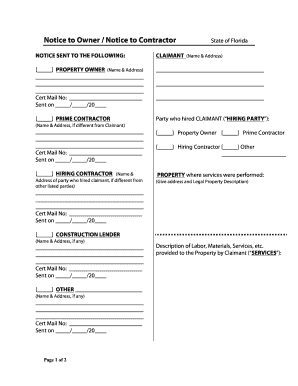
Get Fl Notice Owner/notice Contractor
How it works
-

Open form follow the instructions
-

Easily sign the form with your finger
-

Send filled & signed form or save
How to fill out the FL Notice Owner/Notice Contractor online
The FL Notice Owner/Notice Contractor is a crucial document for those involved in construction projects, ensuring proper communication and compliance with legal requirements. This guide will help you navigate the online process to complete this form efficiently and accurately.
Follow the steps to fill out the form online with ease.
- Click the ‘Get Form’ button to access the document and open it in the editor.
- Provide your name and contact information in the designated fields. Ensure that you use accurate information to facilitate communication.
- Enter the property address associated with the project in the appropriate section. This is critical for identifying the location of the work.
- If applicable, include the name of the contractor or the party responsible for the work in the relevant field.
- Detail the nature of the work being performed. This should be clear and concise to avoid any misunderstandings.
- Review all provided information for accuracy, making any necessary edits.
- Once all sections are complete and confirmed, you can save your changes, download the document for your records, print it, or share it as needed.
Complete your FL Notice Owner/Notice Contractor online today!
No, Notice to Owner and notice of commencement are not the same. The Notice to Owner informs property owners of parties involved in their project, while the notice of commencement indicates the official start date of construction. Knowing this difference is crucial for all parties in real estate and construction. If you need assistance in understanding or managing these documents, uslegalforms can provide solutions tailored to your needs regarding FL Notice Owner and Notice Contractor.