Loading
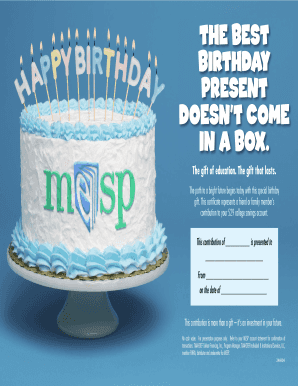
Get Michigan Education Savings Program (mesp) Gift Deposit Form
How it works
-

Open form follow the instructions
-

Easily sign the form with your finger
-

Send filled & signed form or save
How to fill out the Michigan Education Savings Program (MESP) Gift Deposit Form online
The Michigan Education Savings Program (MESP) Gift Deposit Form is a valuable tool for contributing to a 529 college savings account. This guide will provide step-by-step instructions on how to fill out the form online, ensuring a smooth and efficient process for users.
Follow the steps to complete the MESP Gift Deposit Form online.
- Select the ‘Get Form’ button to access the document and open it in an online editor.
- Complete the contribution amount field by entering the dollar amount of the gift you are presenting.
- Fill in the recipient's name where indicated, ensuring that the name matches the 529 account holder's records.
- Enter your name as the contributor in the designated field to clarify the source of the contribution.
- Provide the date of the gift in the specified section, using the format MM/DD/YYYY.
- Review all fields to ensure accuracy and clarity before proceeding to save your work.
- Finish by saving your changes, and use the options available to download, print, or share the completed form as needed.
Start completing your MESP Gift Deposit Form online today for a meaningful contribution towards education.
MESP offers compelling income tax benefits. Individual taxpayers may deduct up to $5,000 in MESP contributions each year from their Michigan adjusted gross income, and taxpayers filing jointly may deduct up to $10,000.