Loading
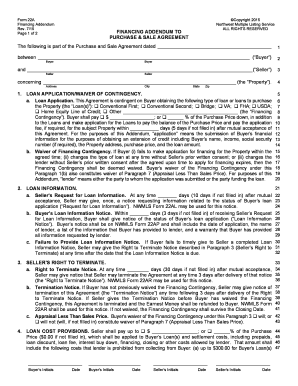
Get And (seller)
How it works
-

Open form follow the instructions
-

Easily sign the form with your finger
-

Send filled & signed form or save
How to fill out the And (Seller) online
Filling out the And (Seller) form is a crucial step in the real estate purchasing process. This guide will lead you through each section of the form, ensuring that you provide all necessary information accurately and efficiently.
Follow the steps to complete the And (Seller) form effectively.
- Click ‘Get Form’ button to obtain the form and open it in the editor.
- Begin by entering the date of the Purchase and Sale Agreement at the top of the form. This establishes the context for the agreement.
- Fill in the buyer's details. In the fields for ‘Buyer,’ provide the full name of the person making the purchase. Make sure this is accurately filled to prevent any complications.
- Next, provide the seller's complete information in the section labeled ‘Seller.’ Just as with the buyer, confirmation of the seller's name is vital.
- Enter the property address, including city, state, and zip code. This information is essential in identifying the location of the property involved in the transaction.
- In the ‘Loan Application/Waiver of Contingency’ section, check the appropriate loan options that apply to the buyer’s financing. Include the down payment amount or percentage of the purchase price.
- Specify the number of days allowed for the buyer to apply for the loan after mutual acceptance. If left blank, it will default to 5 days.
- Complete the section regarding seller’s requests for loan information and specify the number of days the seller can request updates on the loan application status.
- In the ‘Loan Cost Provisions,’ indicate any seller contributions toward loan costs or settlement charges, ensuring to specify dollar amounts or percentages.
- For the ‘Earnest Money’ section, provide details about the refund conditions related to financing failures. Be sure this aligns with your agreement.
- Review the terms regarding appraisal and inspection, ensuring that all necessary conditions related to property appraisals and financing contingencies are selected as per agreement.
- Once all fields have been filled out accurately, save your changes, and consider downloading, printing, or sharing the completed form as required.
Start completing your And (Seller) form online today!
Related links form
When everything is signed and sealed, you'll be able to receive your home sale profits from the escrow or title company. Typically, you can receive the funds through a check or wire transfer. ... So if they're taking their funds via check, they can take it with them at the closing table, she says.