Loading
Get Factualized Trust
How it works
-

Open form follow the instructions
-

Easily sign the form with your finger
-

Send filled & signed form or save
How to fill out the FACTUALIZED TRUST online
Filling out the FACTUALIZED TRUST form online can seem challenging, but with the right guidance, you can navigate it smoothly. This comprehensive guide will walk you through each section and field of the form, ensuring you complete it accurately and confidently.
Follow the steps to effectively complete the FACTUALIZED TRUST form.
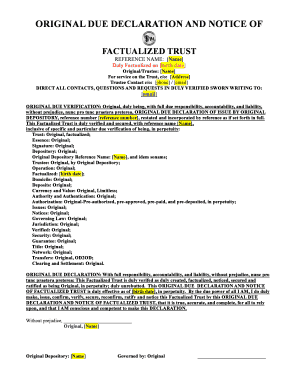
- Click ‘Get Form’ button to obtain the document and access it for editing.
- In the 'Reference Name' section, enter your name as it should appear on the trust documentation.
- Fill in your 'birth date' in the designated area to establish the date of factualization for your trust.
- Provide the full name of the 'Original/Trustee' in the corresponding field.
- For the service address of the trust, input the appropriate contact address where legal notifications can be sent, including street, city, state, and zip code.
- Enter the 'Trustee Contact' details, which should consist of a phone number and an email address for direct communication.
- Direct any inquiries or requests related to the trust to the specified email address provided in the contact section.
- In the 'ORIGINAL DUE VERIFICATION' section, ensure that the 'reference number' is completed accurately to reflect the original documentation.
- Complete the declaration sections carefully, ensuring that all necessary phrases indicating that the trust is original and valid are retained as per the template.
- Finally, review all entries for accuracy before saving your changes, downloading, or printing the completed FACTUALIZED TRUST for your records.
Begin filling out your FACTUALIZED TRUST online today to ensure your financial planning is secure and properly documented.
Both the settlor and/or beneficiary can be a trustee, however if a beneficiary is a trustee it could lead to a conflict of interest – especially when trustees have the power to decide by how much each beneficiary can benefit.