Loading
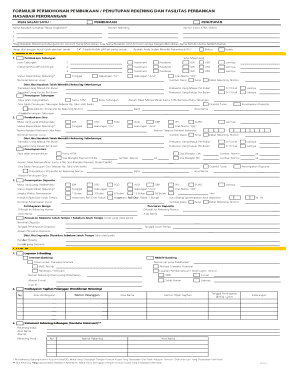
Get Formulir Penutupan Rekening
How it works
-

Open form follow the instructions
-

Easily sign the form with your finger
-

Send filled & signed form or save
How to fill out the Formulir Penutupan Rekening online
Filling out the Formulir Penutupan Rekening is an essential process for users who wish to close their banking accounts. This guide provides clear, step-by-step instructions on how to complete each section of the form online, ensuring a smooth and hassle-free experience.
Follow the steps to fill out the Formulir Penutupan Rekening online.
- Click ‘Get Form’ button to access the form and open it in your preferred editing tool.
- In the 'Nama Nasabah (Lengkap Tanpa Singkatan)' field, please enter the full name of the account holder without any abbreviations.
- Under the 'PENUTUPAN' section, input the 'Nomor Rekening', which is the account number that you wish to close.
- Next, provide the 'Nomor Kartu ATM / Debet' if applicable. If you have a joint account, include the names of all account holders, starting with the primary account holder.
- Indicate whether you have an existing account with the bank by selecting either 'Belum' (no) or 'Sudah' (yes).
- In the 'Penutupan Tabungan' section, indicate the reason for account closure and state whether you have returned your ATM card or passbook.
- Specify the remaining balance you wish to withdraw or transfer by filling in the 'Sisa Saldo Penutupan Tabungan' section.
- Ensure you have signed and dated the form at the bottom where it indicates the acknowledgment of receipt and agreement to the terms.
- After completing the form, review all entered information for accuracy. You may then save any changes made and proceed to download, print, or share the form based on your needs.
Complete your Formulir Penutupan Rekening online today to facilitate a seamless banking account closure.