Loading
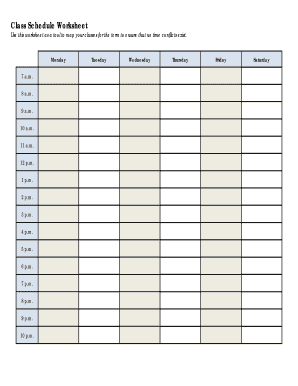
Get Class Schedule Worksheet
How it works
-

Open form follow the instructions
-

Easily sign the form with your finger
-

Send filled & signed form or save
How to fill out the Class Schedule Worksheet online
The Class Schedule Worksheet is an essential tool to assist you in organizing your classes for the term, ensuring you avoid any scheduling conflicts. This guide provides a clear, step-by-step approach to successfully filling out this form online.
Follow the steps to complete your Class Schedule Worksheet.
- Click the ‘Get Form’ button to access the Class Schedule Worksheet and open it in your preferred online document editor.
- Begin by reviewing the layout of the worksheet. The document is organized by days of the week, with time slots available from 7 a.m. to 10 p.m. for each day.
- For each class, specify the subject, catalog number, and any other relevant details. Use the PAWS Planning Worksheet as a reference to gather all necessary information for enrolling.
- Once you have added all your classes and confirmed that there are no conflicts, you can save your changes.
Complete your Class Schedule Worksheet online to ensure a smooth enrollment process.
By creating standardized processes, businesses can easily replicate and expand operations. New employees can follow established procedures, ensuring consistency. Systemization also enables businesses to identify bottlenecks, optimize workflows, and scale operations without sacrificing quality or efficiency.