Loading
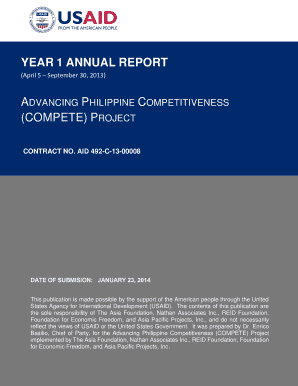
Get Year 1 Annual Report (compete) Project - Pdf Usaid
How it works
-

Open form follow the instructions
-

Easily sign the form with your finger
-

Send filled & signed form or save
How to fill out the YEAR 1 ANNUAL REPORT (COMPETE) PROJECT - Pdf Usaid online
Filing the YEAR 1 ANNUAL REPORT (COMPETE) PROJECT is a crucial step in documenting the project's accomplishments and activities. This guide provides clear, step-by-step instructions to assist users in completing the form efficiently and accurately.
Follow the steps to successfully complete your report.
- Click ‘Get Form’ button to obtain the form and open it in the editor.
- Start filling out the form by inputting the program title, which is 'Advancing Philippine Competitiveness (COMPETE)'.
- Enter the sponsoring USAID office, specifically 'USAID/Philippines'.
- Include the contract number: 'AID-492-C-13-00008'.
- Document the name of the primary contractor, listing each organization involved in the project.
- Fill in the 'original submission date' as 'January 23, 2014'.
- The section titled 'Background' should detail the purpose of the COMPETE project and its objectives.
- In 'Major Project Accomplishments', detail the specific impacts and achievements of each component of the project.
- Highlight key project activities within the corresponding sections, such as tourism, agriculture, and public-private partnerships.
- For the 'Monitoring and Evaluation' section, summarize the methods used to assess the project's progress and outcomes.
- Conclude the report by outlining the next steps or activities planned for the future, specifically for the first quarter of Year 2.
- Ensure all sections are accurately completed and review for any necessary updates or corrections.
- Save changes to the document. You may choose to download, print, or share the form as required.
Complete your YEAR 1 ANNUAL REPORT (COMPETE) PROJECT online today to ensure your project's accomplishments are documented properly.
Related links form
Creating an HTML email yourself Open an application where you can type HTML code. ... Begin your HTML document type. ... Create the body and main table. ... Design the email template structure and header. ... Create the content area. ... Change the style of the email template footer. ... Style the text. ... Test the email.
Industry-leading security and compliance
US Legal Forms protects your data by complying with industry-specific security standards.
-
In businnes since 199725+ years providing professional legal documents.
-
Accredited businessGuarantees that a business meets BBB accreditation standards in the US and Canada.
-
Secured by BraintreeValidated Level 1 PCI DSS compliant payment gateway that accepts most major credit and debit card brands from across the globe.