Loading
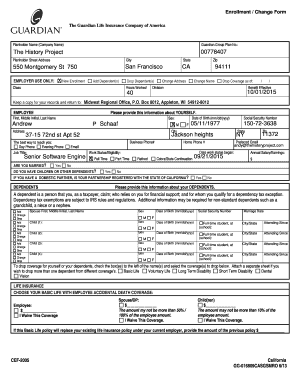
Get Guardian Enrollment Change Form 2017
How it works
-

Open form follow the instructions
-

Easily sign the form with your finger
-

Send filled & signed form or save
How to fill out the Guardian Enrollment Change Form 2017 online
The Guardian Enrollment Change Form 2017 is designed for users who need to update their enrollment details or make changes to their existing coverage. This guide provides clear, step-by-step instructions on how to complete the form online, ensuring you have all the necessary information at your fingertips.
Follow the steps to successfully complete the Guardian Enrollment Change Form online.
- Press the ‘Get Form’ button to obtain the form and open it for editing.
- Begin by providing your planholder’s name and associated group plan number in the designated fields.
- Provide your employment information, including job title, work status, and salary. Complete the section regarding your marital status and if you have dependents.
- Choose your desired coverage options by checking the relevant boxes for life, disability, dental, and vision insurance. You can opt to waive any coverage if required.
- Read and agree to the statements, indicating your understanding of the coverage details and submission requirements.
- Once all information has been entered correctly, save your changes and download the completed form for your records. You can also print or share the form if needed.
Complete your documents online today to ensure your enrollment changes are processed smoothly and promptly.
Related links form
As a member, you can submit your claim online, by phone or by completing a paper form. In Guardian Anytime, from the menu options, select Claims and then Submit a claim. Select Accident. Follow the 4 steps to complete the online form.... Complete all required fields. Upload the requested documentation. Click Continue.