Loading
Get Mt 2ec - Revenue Mt
How it works
-

Open form follow the instructions
-

Easily sign the form with your finger
-

Send filled & signed form or save
How to fill out the MT 2EC - Revenue Mt online
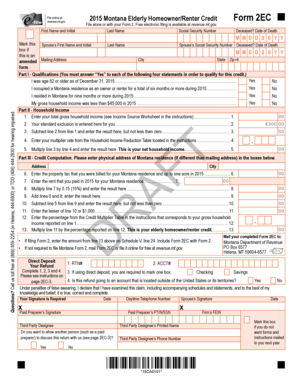
Completing the MT 2EC - Revenue Mt online can streamline the application process for the Elderly Homeowner/Renter Credit. This guide provides clear, sequential instructions to ensure that you accurately fill out each section of the form.
Follow the steps to successfully complete the MT 2EC - Revenue Mt online.
- Press the 'Get Form' button to obtain the MT 2EC - Revenue Mt form and open it in your preferred online editor.
- Begin by entering your first name and initial, last name, and Social Security number in the respective fields. If applicable, mark the box indicating a deceased status and enter the date of death.
- Indicate your residency by answering whether you lived in Montana for nine months or more during the relevant year. Choose 'Yes' or 'No' accordingly.
- State your gross household income for the year, ensuring it is below $45,000 to qualify.
- Proceed to Part II and enter your total gross household income from all sources, referring to the Income Source Worksheet if necessary.
- Input your standard exclusion amount as pre-filled on the form.
- Calculate the difference between your gross household income and the standard exclusion—if the result is negative, enter zero.
- From the Household Income Reduction Table in the instructions, find and enter your multiplier rate.
- Multiply the result from step 7 by the multiplier from step 8 to find your net household income.
- Fill out Part III by providing your physical Montana residence address. If it differs from your mailing address, include it.
- Record the property tax billed for your Montana residence for the year.
- If applicable, enter the rent you paid during the year for your Montana residence.
- Calculate the total of the property tax and rent entered and place it in the designated field on the form.
- Subtract your net household income from the total calculated in step 13; ensure the result isn’t less than zero.
- Choose the lesser amount between step 14's result and $1,000.
- Determine the credit multiplier percentage based on the Gross Household Income from step 5.
- Multiply the amount from step 15 by the percentage from step 16 to calculate your Elderly Homeowner/Renter Credit.
- Review all entered information to ensure accuracy, then proceed to save changes, download, print, or share the completed form as required.
Complete and submit your MT 2EC - Revenue Mt form online for potential property tax relief.
What is the Elderly Homeowner/Renter Credit? The Elderly Homeowner/Renter Credit is a Montana income tax credit up to $1,150 for seniors who rent or own a home in Montana, even if they don't make any income.