Loading
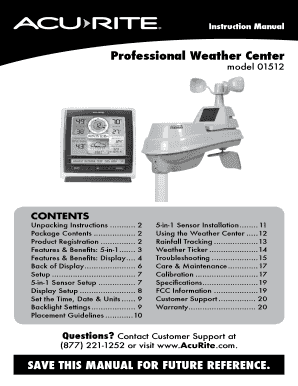
Get Acurite 01512 Manual
How it works
-

Open form follow the instructions
-

Easily sign the form with your finger
-

Send filled & signed form or save
How to fill out the Acurite 01512 Manual online
This guide provides comprehensive instructions on how to effectively complete the Acurite 01512 Manual online. With clear, step-by-step directions, users will find this manual easy to navigate, regardless of their technical expertise.
Follow the steps to fill out the Acurite 01512 Manual online.
- Press the ‘Get Form’ button to obtain the Acurite 01512 Manual and open it in your preferred online editor.
- Begin by carefully reading the introduction and familiarize yourself with the comprehensive contents of the manual, ensuring you understand the various sections.
- Proceed to the unpacking instructions, and follow the guidelines for setting up your device, including product registration for warranty services.
- Fill in the required product registration details, ensuring that you provide accurate information for warranty coverage.
- Continue through each section, making sure to complete the features and benefits, setup, and sensor installation instructions as applicable.
- Pay close attention to the care and maintenance instructions to ensure optimal performance of your device post-setup.
- Once all relevant sections are filled out, review your inputs for accuracy and completeness.
- Finally, save your changes, download a copy of the filled form, print it, or share it as needed for your records.
Start completing your Acurite 01512 Manual online today for a smooth setup experience.
Reinstall the batteries in the outdoor sensor. Reinstall batteries and/or power cord into the display unit then immediately press and hold the reset button again for 20 seconds if applicable. Let the units sit within a couple of feet of each other for approximately 5 minutes or until you see a solid sensor signal.
Industry-leading security and compliance
US Legal Forms protects your data by complying with industry-specific security standards.
-
In businnes since 199725+ years providing professional legal documents.
-
Accredited businessGuarantees that a business meets BBB accreditation standards in the US and Canada.
-
Secured by BraintreeValidated Level 1 PCI DSS compliant payment gateway that accepts most major credit and debit card brands from across the globe.