Loading
Get Oregon Airsoft Arena Waiver
How it works
-

Open form follow the instructions
-

Easily sign the form with your finger
-

Send filled & signed form or save
How to fill out the Oregon Airsoft Arena Waiver online
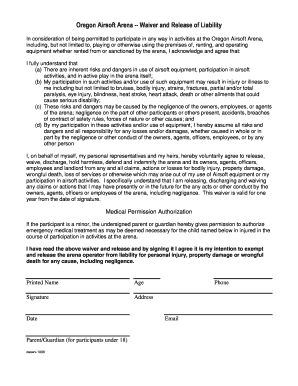
Filling out the Oregon Airsoft Arena Waiver online is a crucial step for users participating in activities at the arena. This guide provides a clear and supportive overview of how to navigate and complete the waiver safely and accurately.
Follow the steps to complete the waiver online.
- Click ‘Get Form’ button to obtain the document and open it for editing.
- Carefully read through the waiver text to understand the risks associated with airsoft activities. It is important to be aware of the potential for injury or illness.
- In the designated fields, enter your printed name. Ensure the name matches your identification for consistency.
- Provide your age in the appropriate field. This is necessary for ensuring all participants meet age requirements.
- Read the waiver thoroughly and then provide your signature in the specified area. This action confirms your agreement to the terms outlined.
- Fill out your address, including street, city, state, and zip code. This information helps the arena to contact you if necessary.
- Enter the current date when you are filling out the waiver. This date marks the validity period of the waiver.
- If the participant is a minor, a parent or guardian must provide their printed name and signature in the fields provided.
- Lastly, include your phone number and email address for any future correspondence or emergencies.
- Review all entered information for accuracy. Once confirmed, you can save changes, download, print, or share the completed form.
Complete the Oregon Airsoft Arena Waiver online today to ensure a safe and enjoyable experience.
Related links form
Over nearly 145 years of professional baseball, no player was tougher to strike out than Hall of Fame shortstop Joe Sewell. In 7,132 career at-bats, Sewell heard the umpire say “Strike three” just 114 times.