Loading
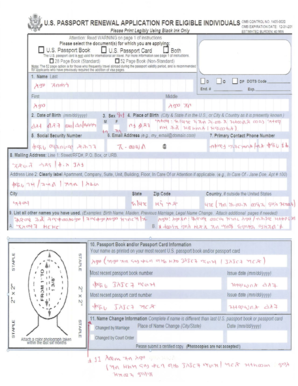
Get Us Passport Renewal Form
How it works
-

Open form follow the instructions
-

Easily sign the form with your finger
-

Send filled & signed form or save
How to fill out the Us Passport Renewal Form online
Renewing a United States passport can be completed conveniently online. This guide offers a clear, step-by-step approach to help you navigate the Us Passport Renewal Form with ease.
Follow the steps to successfully complete your passport renewal form online.
- Press the ‘Get Form’ button to access the Us Passport Renewal Form and open it in your preferred editor.
- Begin by entering your personal information in the designated fields. This includes your name, date of birth, and place of birth. Make sure all information is accurate and matches your existing passport.
- Provide your contact information. Fill in your current address, including street, city, state, and zip code. Ensure that you include a valid email address and phone number for further communication regarding your application.
- Indicate your passport renewal eligibility by selecting the appropriate options. This usually includes confirming that your passport is undamaged and was issued when you were age 16 or older.
- Upload a recent passport photo that meets the official requirements. Ensure the photo is current and adheres to size and quality guidelines.
- Review the application details carefully. Double-check for accuracy and completeness. Make any necessary corrections before finalizing your submission.
- Once satisfied, save your changes to the document. You may choose to download, print, or share the completed form as required by your preferences.
Take the next step in your passport renewal journey by completing your application online today.
You can fill out the form using the online form filler of the Department of State website (https://pptform.state.gov/) or print it out and fill it out by hand using a black pen.