Loading
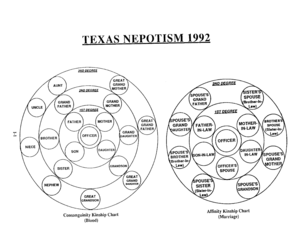
Get Nepotism Chart
How it works
-

Open form follow the instructions
-

Easily sign the form with your finger
-

Send filled & signed form or save
How to fill out the Nepotism Chart online
Filling out the Nepotism Chart online is an important step in ensuring transparency and compliance with organizational policies. This guide provides clear and supportive instructions for effectively completing each section of the form, making it accessible for all users.
Follow the steps to complete the Nepotism Chart efficiently.
- Click ‘Get Form’ button to access the Nepotism Chart and open it in the online editor.
- Begin with the identification section. Enter your full name, job title, and department. Ensure that all information is accurate as this verifies your identity within the organization.
- Next, move to the relationship disclosure section. Here, you will need to identify any relationships you have with individuals who could be affected by nepotism. Clearly state each person’s name, job title, and their relationship to you, such as 'partner' or 'relative'.
- In the following section, explain the nature of your relationship with the listed individuals. This transparency helps assess any potential conflicts of interest.
- Review the completed entry for accuracy. It is essential to ensure all details are correctly filled out to avoid potential misunderstandings.
- Finally, save your completed document. You can download, print, or share the Nepotism Chart as required. Ensure that you keep a copy for your records.
Start completing your Nepotism Chart online today for a streamlined process.
In clinical genetics, consanguinity is defined as a union between two individuals who are related as second cousins or closer, with the inbreeding coefficient (F) equal or higher than 0.0156.