Loading
Get Mdcaps Login
How it works
-

Open form follow the instructions
-

Easily sign the form with your finger
-

Send filled & signed form or save
How to fill out the Mdcaps Login online
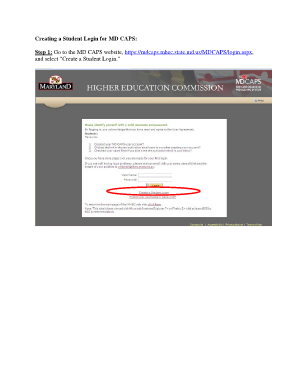
This guide provides a step-by-step approach to creating a student login for Mdcaps online. Follow the instructions carefully to ensure a smooth login experience.
Follow the steps to create your Mdcaps student login.
- Click ‘Get Form’ button to obtain the Mdcaps Login form and open it in your editor.
- Enter your personal information in the required fields and review the User Agreement. Ensure to select the option to agree before you press the ‘Create Login’ button.
- Check your email inbox for an Activation Email from Mdcaps. Click the link provided in the email to activate your account. If you do not see this email, inspect your spam filter, as emails may be delayed.
- Upon clicking the link in the Activation Email, you should see the User Activation Success screen. This indicates that your account has been activated successfully.
- From the User Activation Success screen, click the Login link to proceed or return to the original link provided in step 1. Use the user ID and password you created earlier to log in.
- Congratulations! You are now logged into Mdcaps. If you experience any issues at this stage, click the Help link located in the upper right corner for assistance.
- If you encounter an error message indicating that your account needs activation, revisit and complete steps 3, 4, and 5 to successfully log in and access your information.
Start filling out your documents online today!
CSV stands for Comma Separated Values and is broadly used by many spreadsheet, database, and data storage uses, whereas Numbers is a spreadsheet app that is exclusive to the Mac and iOS platforms. ingly, there are many reasons why it may be necessary to convert a Numbers file to a CSV.
Industry-leading security and compliance
US Legal Forms protects your data by complying with industry-specific security standards.
-
In businnes since 199725+ years providing professional legal documents.
-
Accredited businessGuarantees that a business meets BBB accreditation standards in the US and Canada.
-
Secured by BraintreeValidated Level 1 PCI DSS compliant payment gateway that accepts most major credit and debit card brands from across the globe.