Loading
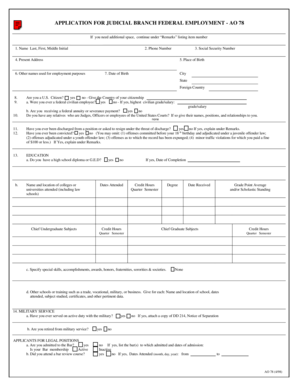
Get Ao 78 Application For Federal Employment
How it works
-

Open form follow the instructions
-

Easily sign the form with your finger
-

Send filled & signed form or save
How to fill out the Ao 78 Application For Federal Employment online
The Ao 78 Application for Federal Employment is a vital document for individuals seeking employment within the federal judicial branch. This guide will provide comprehensive, step-by-step instructions on how to complete the form accurately online.
Follow the steps to complete your application effectively.
- Click ‘Get Form’ button to obtain the form and open it in the editor.
- Begin by providing your personal information in the designated fields. This includes your name (Last, First, Middle Initial), phone number, and present address.
- Enter your Social Security number, place of birth, and date of birth. Make sure to specify the city, state, or foreign country accurately.
- Indicate your citizenship status by checking 'yes' or 'no' for U.S. citizenship. If applicable, provide details regarding your federal employment history and any relevant relationships with judges or court employees.
- Answer the questions regarding any past discharges or convictions, providing explanations in the remarks section if necessary.
- Complete the education section by stating your highest level of education, the institutions attended, the dates, degree received, and any other relevant skills or honors.
- Fill out the military service section, if applicable, and attach any required documentation.
- Document your work experience over the past ten years. Include your job titles, employment dates, employer information, responsibilities, and reasons for leaving.
- Use the remarks section to continue your answers if needed, indicating the number of items being continued.
- Finish by signing and dating the certification section to confirm the truth and completeness of your information.
- Once you have filled out the form, you can save changes, download, print, or share the completed Ao 78 Application.
Complete your Ao 78 Application for Federal Employment online today.
If you want a different watermark on every page, create the watermark (image) and insert it into the page itself rather than in the header. It should be set to be behind text and placed relative to the edge of the page.