Loading
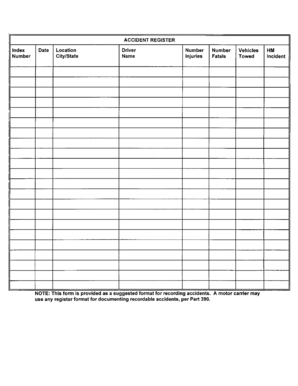
Get Accident Register - Wsp Wa
How it works
-

Open form follow the instructions
-

Easily sign the form with your finger
-

Send filled & signed form or save
How to fill out the ACCIDENT REGISTER - Wsp Wa online
Filling out the ACCIDENT REGISTER - Wsp Wa online is a critical step for documenting incidents accurately. This guide will provide you with clear instructions to ensure you complete the form efficiently and effectively.
Follow the steps to fill out the ACCIDENT REGISTER - Wsp Wa.
- Press the ‘Get Form’ button to access the form and open it for editing.
- Enter the date of the accident in the specified field. Ensure that you format the date correctly to avoid any confusion.
- Provide details about the location of the incident. This should include specifics such as the address or description of the place where the accident occurred.
- Describe the nature of the accident. Use clear language to outline what happened, including any relevant circumstances leading up to the incident.
- If there were any people involved, document their details in the designated section. This includes names and any relevant information about their involvement.
- Include any witness statements if applicable. This should contain the names of witnesses and a brief description of what they observed.
- Review all entered information for accuracy. Make any necessary corrections to ensure that the form reflects the true events.
- Once you have verified the information, you can save your changes. You also have the option to download, print, or share the completed form as needed.
Complete the ACCIDENT REGISTER - Wsp Wa online today to ensure thorough documentation of incidents.
If you get into an accident causing death, injury, or property damage of $700 or more, Washington law requires you to report the accident to the Washington Department of Transportation (DOT). You must also submit an accident report to the Washington DOT within four days of the accident.