Loading
Get Federal Pay Period Calendar
How it works
-

Open form follow the instructions
-

Easily sign the form with your finger
-

Send filled & signed form or save
How to fill out the Federal Pay Period Calendar online
This guide will help you navigate the Federal Pay Period Calendar, providing you with clear instructions on how to fill it out online. It is designed to make the process straightforward and accessible for all users, regardless of their prior experience with such forms.
Follow the steps to complete the Federal Pay Period Calendar online.
- Press the ‘Get Form’ button to access the Federal Pay Period Calendar and open it in your preferred document editor.
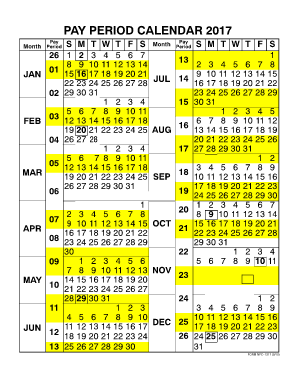
- Review the calendar structure to understand the layout. The calendar displays each month with designated pay periods outlined.
- Identify the pay periods for the year, noting the start and end dates for each pay cycle listed within the calendar.
- Fill out any necessary fields, which may include entering your job title, identification, or financial information, as required by any supplementary instructions.
- Double-check all entries for accuracy, ensuring that the information aligns with your official payroll documentation.
- Once satisfied with your entries, you can save your changes, download the filled form, print it for your records, or share it as needed.
Start completing your Federal Pay Period Calendar online today to ensure accurate payroll tracking.
How to create a work schedule in Excel Open a blank spreadsheet. Start by searching for the Excel application on your computer or clicking on the Excel icon on your desktop. ... Create a header. ... Title your columns with weekdays. ... List employee names in each row. ... Enter shift details. ... Save your schedule.