Loading
Get E-qip Online Checklist - Cbp
How it works
-

Open form follow the instructions
-

Easily sign the form with your finger
-

Send filled & signed form or save
How to fill out the E-QIP Online Checklist - CBP online
Filling out the E-QIP Online Checklist is a crucial step in the background investigation process for U.S. Customs and Border Protection. This guide provides clear instructions to help you navigate each section of the form effectively.
Follow the steps to complete your E-QIP Online Checklist.
- Press the ‘Get Form’ button to access the E-QIP Online Checklist. This step will allow you to obtain the necessary documentation in a format suitable for completion.
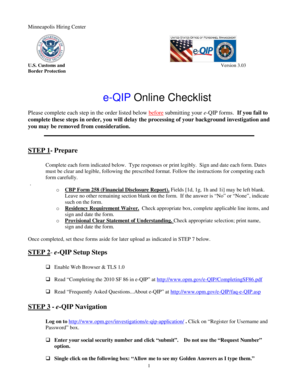
- Prepare for filling out the form by reviewing each required section. Ensure responses are typed or printed legibly, and remember to sign and date each form as per the provided instructions.
- Log in to the online platform for the E-QIP process. You will need to create a username and password by providing your social security number and completing the necessary security questions.
- Enter your data carefully in the designated sections. Make sure to save frequently and adhere to the format requirements for responses, particularly in relation to dates and continuity of employment.
- Validate and review your information by using the navigation menu to ensure that all entries are complete and accurate. Correct any validation errors identified during this process.
- Certify that your answers are true by confirming this in the navigation menu. This action will lock your responses and is critical for the submission process.
- Download and print the required documents for your records. Additionally, ensure that all necessary attachments, such as signatures, are clear and legible before uploading them to your record.
- Release your completed E-QIP to the agency once you have uploaded all required documents. Keep in mind that you will not have access to the form after this step.
- Receive the fingerprint cards by mail and follow the instructions provided. These cards must be returned using the envelope supplied, and they should not be uploaded to your E-QIP record.
Complete your E-QIP forms online to facilitate your background investigation.
a. To upload an attachment/document from your computer choose the Upload File option then click Next . A screen will appear with directions on uploading files from your computer. When done uploading attachments, click the Return to Attachments Summary button.
Industry-leading security and compliance
US Legal Forms protects your data by complying with industry-specific security standards.
-
In businnes since 199725+ years providing professional legal documents.
-
Accredited businessGuarantees that a business meets BBB accreditation standards in the US and Canada.
-
Secured by BraintreeValidated Level 1 PCI DSS compliant payment gateway that accepts most major credit and debit card brands from across the globe.