Loading
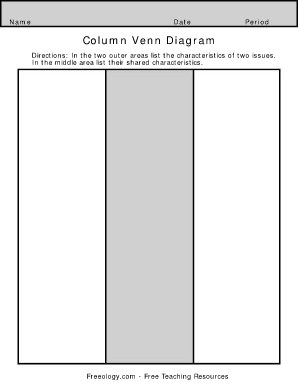
Get Column Venn Diagram - Freeology
How it works
-

Open form follow the instructions
-

Easily sign the form with your finger
-

Send filled & signed form or save
How to fill out the Column Venn Diagram - Freeology online
The Column Venn Diagram - Freeology is a helpful tool for comparing and contrasting two issues by examining their unique and shared characteristics. This guide will walk you through the steps needed to successfully complete this diagram online.
Follow the steps to complete your Column Venn Diagram.
- Click ‘Get Form’ button to access the form and open it in your preferred online editor.
- Begin by examining the two outer sections of the diagram. In the first outer area, write down the unique characteristics of the first issue.
- Next, move to the second outer area and list the unique characteristics of the second issue. Ensure that these traits are distinct from those in the first area.
- Now focus on the center section of the diagram. Here, identify and write the characteristics that are common to both issues. This will help in visualizing their similarities.
- After filling in all the sections, review the information for clarity and accuracy to ensure that it effectively represents the comparisons.
- Finally, save your changes, and choose to download, print, or share the completed form as needed.
Start creating your Column Venn Diagram online today for efficient comparisons.
The center brown region is A ∩ B ∩ C; it contains those points common to all three sets.