Loading
Get Reserve Account Pitney Bowes
How it works
-

Open form follow the instructions
-

Easily sign the form with your finger
-

Send filled & signed form or save
How to fill out the Reserve Account Pitney Bowes online
Filling out the Reserve Account Pitney Bowes form online is a straightforward process, designed to facilitate your postage deposits efficiently. This guide provides step-by-step instructions to help you complete the form accurately.
Follow the steps to successfully complete your Reserve Account form.
- Begin by clicking the ‘Get Form’ button to access the Reserve Account form and open it in your preferred editing tool.
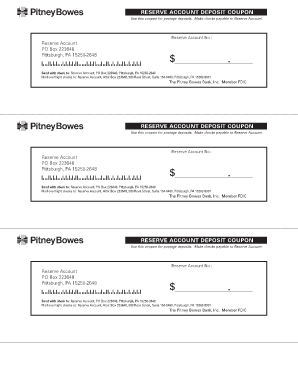
- In the section labeled 'Reserve Account No.', fill in your unique Reserve Account number. This number is essential for processing your deposit correctly.
- Next, enter the amount you wish to deposit in the designated field labeled '$'. Ensure that you include both dollars and cents for accuracy.
- After filling in the necessary information, review all entries for correctness. Mistakes in the Reserve Account number or deposit amount may lead to processing delays.
- Once satisfied with your entries, you have the option to save your changes, download the completed form, print it for submission, or share it with relevant parties as needed.
Complete your Reserve Account document online today for a seamless postage deposit experience.
Reserve Account Explained The Reserve Account is a prepaid deposit account used to pay for postage funds. Funds are held in an FDIC-insured account at The Pitney Bowes Bank, Inc. The funds will earn interest in the form of postage credits based on the average daily balance.