Loading
Get View Loss Draft Claim Package - Nationstar Mortgage
How it works
-

Open form follow the instructions
-

Easily sign the form with your finger
-

Send filled & signed form or save
How to fill out the View Loss Draft Claim Package - Nationstar Mortgage online
This guide provides clear and supportive instructions for completing the View Loss Draft Claim Package from Nationstar Mortgage. By following these steps, users can efficiently ensure that their claims are processed smoothly.
Follow the steps to complete your claim package effectively.
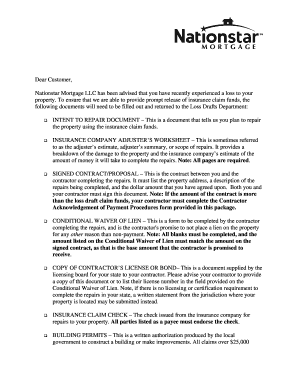
- Click ‘Get Form’ button to access the View Loss Draft Claim Package and open it for completion.
- Complete the Intent to Repair Document, certifying that you will use the insurance funds to repair the property. Provide your loan number and property address at the top.
- Fill out the Insurance Company Adjuster's Worksheet, ensuring that all pages of the document are included, as this provides a detailed breakdown of damages and repair estimates.
- Prepare and sign the Signed Contract/Proposal with your contractor. This document must include the property address, the scope of repairs, and the agreed-upon amount. Both parties must provide signatures.
- Complete the Conditional Waiver of Lien form, ensuring that all fields are filled out accurately and the amount matches the signed contract.
- Attach a copy of your contractor’s license or bond, or, if there are no licensing requirements in your state, a written statement from your local jurisdiction.
- Include the insurance claim check, ensuring that all payees endorse it before submission.
- If applicable, provide copies of Building Permits necessary for repairs over $25,000, or a letter stating that a permit is not required.
- Once repairs are completed, fill out the Certificate of Completion, certifying that the work was done to your satisfaction without any incurred liens.
- Ensure that your contractor completes the W-9 form, necessary for tax identification, before any payments are made.
- Review all documents to ensure accuracy. Save your completed forms, and prepare them for submission by mail or fax.
- Submit the completed claim package to Nationstar Mortgage according to the provided mailing addresses or fax number.
Be proactive and ensure your claims are processed smoothly by completing your documents online today.
Phone: Call us at 833-685-2567.