Loading
Get Fulton County Schools Human Resources
How it works
-

Open form follow the instructions
-

Easily sign the form with your finger
-

Send filled & signed form or save
How to fill out the Fulton County Schools Human Resources online
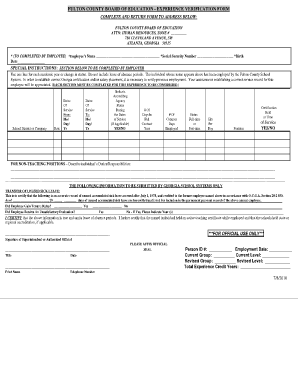
Filling out the Fulton County Schools Human Resources Experience Verification Form is an essential step for ensuring that your employment history is accurately reflected. This guide will provide clear, step-by-step instructions to help you complete the form effectively.
Follow the steps to complete your Experience Verification Form.
- Press the ‘Get Form’ button to access the Experience Verification Form and open it for completion.
- In the first section, input your name, social security number, and birth date as requested. Ensure your details are accurate, as they are crucial for identification.
- Next, focus on the employer section. Each employer or school district where you have worked should be listed with the corresponding state and the dates of your service. Use one line for each academic year or change in status.
- Indicate the accrediting agency status during your dates of service by marking 'Yes' or 'No' if applicable. Furthermore, list the number of days in a full contract year and the number of contract days employed.
- Report your employment status as either full-time or part-time, and include the hours worked per day in the designated fields.
- Detail the certification held at the time of your position by indicating 'Yes' or 'No'. If you held a certificate, specify it clearly.
- If applicable, provide a description of your duties and responsibilities in the section for non-teaching positions, ensuring to be as detailed as possible.
- Submit the additional section if you are coming from a Georgia school system concerning the transfer of unused sick leave. Fill in the number of unused sick leave days, if applicable, and confirm if you gained tenure status or received any unsatisfactory evaluations.
- Once you have filled in all sections, sign and date the form to certify that the information is true and complete. Print clearly your contact information.
- Finally, review the entire form for accuracy, then save your changes. You can download, print, or share the form as needed before returning it to the specified address.
Complete the Experience Verification Form online today to ensure your employment history is accurately recorded.
If the device does not work or there are issues with technology, students can do the following: Contact the District's Technology Help Line at 470-254-4357 or email the Help Desk at itservicedesk@fultonschools.org.