Loading
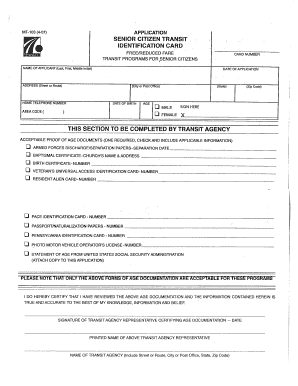
Get Senior Citizen Transit Id Application - Septa - Septa
How it works
-

Open form follow the instructions
-

Easily sign the form with your finger
-

Send filled & signed form or save
How to fill out the Senior Citizen Transit ID Application - Septa online
Filling out the Senior Citizen Transit ID Application is a straightforward process that can be completed online. This guide provides step-by-step instructions to help users navigate the form with ease and ensure all necessary information is provided accurately.
Follow the steps to complete your application online.
- Click ‘Get Form’ button to obtain the form and open it for editing.
- Begin by entering personal information in the designated fields. This includes your full name, date of birth, and contact information. Ensure that all entries are accurate and match your identification documents.
- Provide any required identification details as specified in the form. This may include your driver’s license number or another form of identification that verifies your identity and age.
- If applicable, indicate your residency status or any additional information that may be needed to qualify for the Senior Citizen Transit ID. Clearly follow the prompts in each section.
- Review all entered information for accuracy and completeness. Double-check spelling and ensure that no required fields are left blank.
- Once you have filled out all sections, save your changes. You may also choose to download or print the form for your records or for submission.
- At the end of the process, if needed, share your application with the relevant authority or submit it as instructed on the form.
Complete your Senior Citizen Transit ID Application online today!
Effective September 1, seniors will need a SEPTA Key Senior Photo ID Card or a valid Pennsylvania Driver's Licenses and Non-Driver IDs with a magnetic stripe on the back, which can still be swiped at turnstiles and fare boxes to receive the free Transit and Regional Rail rides.