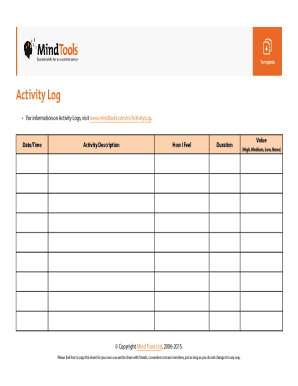
Activity Log ? ? For information on Activity Logs, visit www.mindtools.com/rs/ActivityLog. To manage your time and maximize your effectiveness, visit www.mindtools.com/rs/MTFS. Date/Time Activity.
Open form follow the instructions
Easily sign the form with your finger
Send filled & signed form or save
How to use or fill out the Activity Log Template - Mind Tools online
The Activity Log Template from Mind Tools is a valuable resource for managing your time effectively and gaining insights into your daily activities. This guide will walk you through the process of filling out the template online, ensuring you can track your activities and evaluate their impact seamlessly.
Follow the steps to complete your Activity Log Template online.
- Press the ‘Get Form’ button to access the form and open it in the online editor.
- Start by filling in the 'Date/Time' field. Enter the date and time of each activity to maintain a chronological log.
- In the 'Activity Description' section, provide a clear and concise summary of the activity you engaged in. Be specific to help clarify your entries later.
- Next, move to the 'How I Feel' field. Here, reflect on your emotional state during the activity. This can provide valuable context for performance and motivation.
- Record the duration of the activity in the 'Duration' field. Use hours and minutes for accuracy to track time spent effectively.
- Evaluate the activity's value in the 'Value' section. Choose from High, Medium, Low, or None to assess the significance of each activity.
- After completing the form, you can save your changes, download a copy for your records, print the log, or share it with teammates or colleagues.
Start tracking your activities today by filling out the Activity Log Template online!
Experience a faster way to fill out and sign forms on the web. Access the most extensive library of templates available.
Related content
Cross training is training someone in another activity that is related to their current...
To keep an Activity Log, download this template, or open up a new spreadsheet and set up...
A tool is an object used to extend the ability of an individual to modify features of the...
Get answers to your most pressing questions about US Legal Forms API.
What should be included in activity log?
How to Keep an Activity Log Date/Time. Activity description. How I feel. Duration. Value (high, medium, low, none).
How do I create an activity log?
An activity log is a step-by-step plan Register all activities as they occur. Also note interruptions such as breaks and note down details. ... Assign a certain priority to every activity. ... Subsequently note how each activity can be improved upon. ... Keep the daily activity log for at least a week.
What is a record of daily activity?
What is an activity log? An activity log is a written record of how you allocate the time you spend on daily tasks. Keeping an activity log helps you gain a better, more realistic understanding of how you spend your time throughout the week.
How do you record daily work tasks?
How do you keep track of your daily tasks? The date: keep the date at the top of your list. ... All the tasks for the day: be sure to include the most significant tasks for the day and be realistic about it. ... Meeting times: this is extremely useful info if you usually have several meetings throughout the day.
How do you record time spent on tasks?
How to Keep Track of Time Worked? Paper Timesheets. The paper method is the simplest way to track time. ... Spreadsheets. Another way of tracking time is by using Excel spreadsheets. ... Time Tracking Software. ... Asana. ... Boomr. ... Teamwork Projects. ... Basecamp. ... Trello.
How do I track daily and weekly tasks?
13 daily to-do list apps to help you keep track of your tasks Todoist. Any.do. TickTick. SmartTask. Microsoft To Do. OmniFocus. Bear App. Google Keep.
What is a daily activity log?
What is an activity log? An activity log is a written record of how you allocate the time you spend on daily tasks. Keeping an activity log helps you gain a better, more realistic understanding of how you spend your time throughout the week.
Use professional pre-built templates to fill in and sign documents online faster. Get access to thousands of forms.
If you believe that this page should be taken down, please follow our DMCA take down process here.